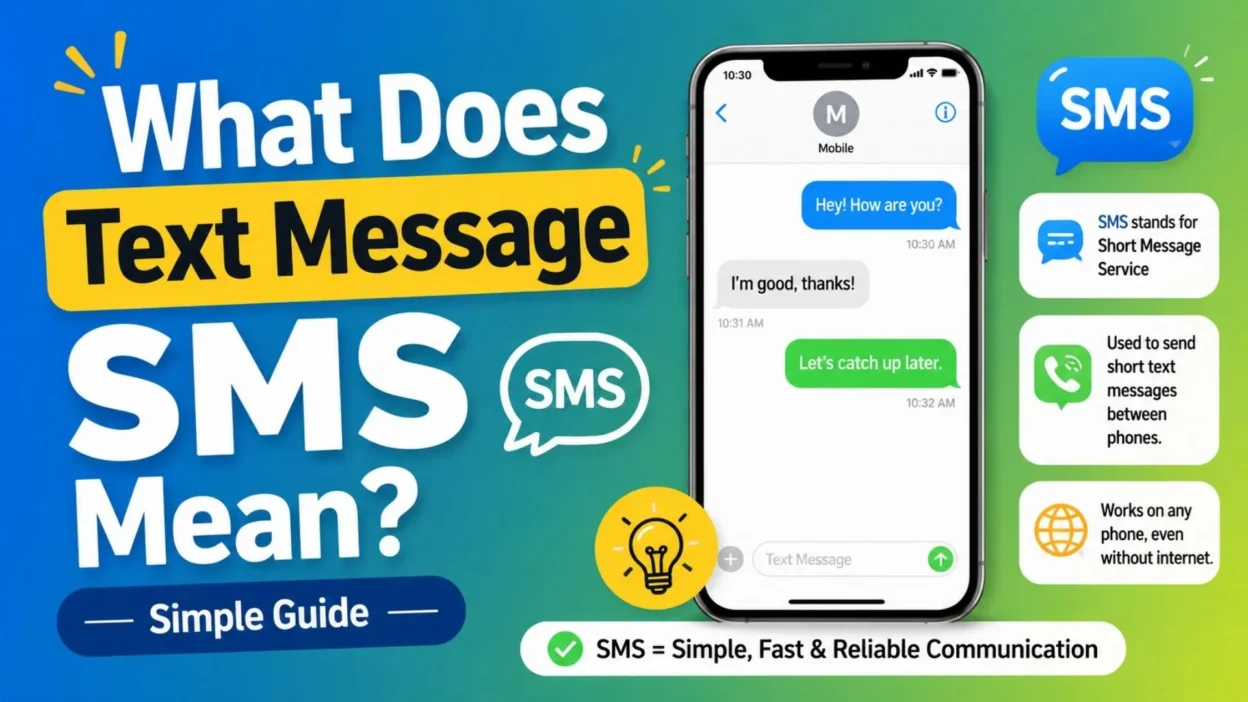
Have you ever seen “SMS” on your phone and wondered what it actually means? If so, you are not alone. What does text message SMS mean is a common question, especially when modern phones use several different messaging services. Simply put, SMS stands for Short Message Service, which is the traditional system used to send text messages through a mobile network.
However, texting today is not as simple as it once was. Smartphones can use SMS, MMS, RCS, iMessage, and other messaging services. As a result, it can be confusing to know which type of message you are sending or receiving.
In this guide, we will explain SMS in simple terms. You will learn how SMS works, whether it needs the internet, how it differs from MMS and iMessage, and why your phone may sometimes send a message as SMS. By the end, you will have a clear understanding of what SMS means and how it works in everyday texting.
What Does Text Message SMS Mean?
- If you have ever seen “SMS” on your phone and wondered what it means, you are not alone.
- SMS stands for Short Message Service.
- It is the technology used to send traditional text messages through a mobile network.
- In simple terms, an SMS is a regular text sent from one mobile phone to another using a cellular network.
- Unlike many modern messaging apps, traditional SMS does not require a Wi-Fi connection.
- Instead, your phone communicates with your mobile carrier to send the message.
- That is why SMS remains useful even when you are not connected to the internet.
- For example, when you open your phone’s regular messaging app and send a basic text, your phone may send it as an SMS.
- The recipient can then receive that message through their mobile service.
- However, the exact experience can vary depending on your phone, carrier, and messaging settings.
- So, what does text message SMS mean in everyday language?
- Simply put, it means a standard mobile text message.
SMS is the traditional system behind many ordinary text messages sent through cellular networks.
What Does SMS Stand For?
- SMS stands for Short Message Service.
- The name describes its original purpose: sending short written messages between mobile devices.
- SMS became popular because it offered a quick way to communicate without making a phone call.
- Over time, texting became one of the most common forms of everyday communication.
- People use SMS for conversations, reminders, alerts, verification codes, appointment updates, and more.
- Although smartphones now offer many internet-based messaging options, SMS is still widely used.
- In addition, SMS can work in situations where an internet messaging service is unavailable.
- Therefore, knowing what SMS means can help you understand how your phone handles different types of messages.
How Does SMS Work?
- Sending an SMS may look simple, but several systems work behind the scenes.
- First, you type a message in your phone’s messaging application.
- Next, you tap the send button.
- Your phone sends the message through your cellular network.
- The mobile carrier then processes the message and attempts to deliver it to the recipient.
- Finally, the recipient’s phone receives the text through their cellular service.
- The process usually happens quickly.
- However, delivery can sometimes take longer because of weak coverage, network problems, or other technical issues.
- Unlike internet messaging apps, traditional SMS does not depend on a Wi-Fi connection.
- Instead, it uses the mobile network provided by your carrier.
Does SMS Need the Internet?
- Traditional SMS generally does not require an internet connection.
- This is one of the biggest differences between SMS and internet-based messaging.
- Your phone can send an SMS through the cellular network when you have compatible mobile service.
- For example, you might be away from Wi-Fi but still able to send a normal text.
- However, your phone still needs appropriate cellular connectivity for the SMS service to work.
- If you have no usable mobile signal, the message may fail or remain pending.
- Modern phones can also automatically use other messaging technologies when available.
- Therefore, seeing a message in your phone’s messaging app does not always mean it is being sent as SMS.
SMS vs. Text Message: Is There a Difference?
- In everyday conversation, SMS and text message usually refer to the same basic idea.
- “Text message” is the common phrase people use.
- “SMS” is the technical name for the traditional Short Message Service.
- For example, someone might say, “I sent you a text.”
- Technically, that text could be an SMS or another messaging service.
- Modern smartphones can use several messaging systems inside the same messaging application.
- As a result, the word “text” can sometimes describe messages that are not technically SMS.
- Still, when people talk about a traditional carrier-based text, SMS is usually what they mean.
1. What Is the Difference Between SMS and MMS?
- SMS and MMS are both traditional mobile messaging technologies.
- However, they are designed for different types of content.
- SMS primarily handles text messages.
- MMS stands for Multimedia Messaging Service.
- MMS can support multimedia content, such as pictures and other media, depending on the carrier and device.
- Therefore, sending a basic text and sending a picture through a traditional messaging service may involve different technologies.
- The exact behavior depends on your phone and mobile carrier.
- Some modern messaging systems can also send photos through the internet instead.
- That is why the same messaging app may handle photos differently depending on your settings and the recipient’s device.
2. What Does SMS Mean on iPhone?
- On an iPhone, SMS refers to traditional text messaging through a cellular carrier.
- iPhones can use several messaging technologies, including SMS and Apple’s iMessage system.
- The message type can depend on the recipient, available internet connection, and messaging settings.
- When an iPhone sends a traditional SMS, the message is handled through the carrier’s cellular service.
- iMessage works differently because it uses Apple’s internet-based messaging system.
- Therefore, not every message sent from an iPhone is automatically an SMS.
- This distinction becomes especially noticeable when you communicate with someone using a different type of device.
- If you want to understand a specific message color or sending behavior, your iPhone’s messaging settings can provide useful clues.
3. What Does SMS Mean on Android?
- Android phones can also send traditional SMS messages.
- The exact messaging experience depends on the Android version, messaging application, carrier, and available services.
- Many Android devices use messaging apps that can support both traditional texting and newer internet-based messaging.
- Therefore, a message that looks like an ordinary text may not always use SMS.
- Your messaging app may choose another supported technology when both phones and networks allow it.
- If the recipient does not support that newer service, the phone may use traditional SMS instead.
- Consequently, understanding SMS helps explain why your phone sometimes handles messages differently.
Can You Send SMS Without Wi-Fi?
- Yes, traditional SMS can work without Wi-Fi.
- The important requirement is compatible cellular service.
- For example, you can often send a basic text while mobile data is unavailable if your phone still has the required cellular connection.
- However, this does not mean every message in your messaging app can work without internet access.
- Internet-based services may require Wi-Fi or mobile data.
- So, the type of message matters.
- If you are unsure, check your phone’s messaging settings and the indicators shown beside the message.
Can SMS Send Pictures?
- Traditional SMS is designed primarily for text.
- Pictures and other multimedia content are generally associated with MMS or newer internet-based messaging services.
- When you attach a picture to a traditional text conversation, your phone may automatically switch to a different messaging technology.
- The exact behavior depends on your device and carrier.
- Therefore, sending a picture does not necessarily mean you are sending a standard SMS.
- This distinction can also affect message size, delivery, and data usage.
What Happens When an SMS Cannot Be Delivered?
- Sometimes an SMS may fail to reach the recipient.
- Several reasons can cause this problem.
- Weak cellular coverage is one possibility.
- A temporary carrier outage may also affect delivery.
- Your phone could have a network connection problem.
- In some cases, the recipient’s phone may be unavailable.
- Carrier restrictions or account issues can also affect messaging.
- If a message remains undelivered, check your cellular signal first.
- Next, try sending another message after a short period.
- If the problem continues, checking your carrier’s service status may help.
- You can also review your phone’s messaging settings.
- Therefore, an undelivered SMS does not automatically mean the recipient blocked you.
Does SMS Mean the Message Was Read?
- No, SMS does not automatically mean the recipient has read your message.
- Traditional SMS delivery and message reading are different things.
- Delivery means the carrier successfully handled the message for the recipient.
- Reading means the person actually opened and viewed it.
- Some modern messaging systems can provide read receipts.
- Traditional SMS does not work the same way.
- Therefore, you should not assume someone has read an SMS simply because it appears to have been delivered.
Does SMS Mean You Are Blocked?
- Seeing “SMS” does not mean that someone has blocked you.
- Message behavior can change for many technical reasons.
- Your phone may use SMS because the recipient uses a different messaging platform.
- Internet connectivity can also affect which messaging service your phone chooses.
- Carrier settings may play a role as well.
- Therefore, SMS by itself is not reliable evidence that someone has blocked your number.
- If you are concerned about delivery, look at the broader messaging behavior instead of one label.
What Is SMS Used For?
- SMS is not only used for personal conversations.
- Businesses and organizations also use SMS for practical communication.
- Common examples include:
- Appointment reminders.
- Delivery notifications.
- Account alerts.
- Verification codes.
- Service updates.
- Banking notifications.
- Customer support messages.
- Event reminders.
- Emergency alerts.
- Two-factor authentication codes.
- Promotional messages.
- Personal conversations.
- Because SMS can reach phones through cellular networks, it remains useful for many important notifications.
Why Is SMS Still Popular?
- SMS has been around for decades, yet it remains useful.
- One reason is simplicity.
- You usually do not need to install a separate messaging application to receive a traditional text.
- Another reason is broad compatibility.
- Traditional SMS can work across many different phones and mobile networks.
- It also does not depend on the recipient using the same messaging app.
- Furthermore, SMS can be useful when internet access is limited.
- For businesses, SMS can provide a direct way to send short notifications.
- As a result, newer messaging technologies have not completely replaced traditional texting.
SMS vs. iMessage
- SMS and iMessage are not the same technology.
- SMS is a carrier-based messaging service.
- iMessage is Apple’s internet-based messaging service.
- iMessage is designed for communication between supported Apple devices and can offer features beyond traditional SMS.
- Those features can include richer media and other modern messaging functions.
- SMS, on the other hand, focuses on basic carrier-based texting.
- Therefore, the two systems can appear inside the same iPhone messaging experience while working differently behind the scenes.
- Understanding this difference can make common messaging labels much easier to understand.
SMS vs. RCS
- RCS stands for Rich Communication Services.
- It is a newer messaging standard designed to provide more advanced features than traditional SMS.
- Depending on device and carrier support, RCS can offer features such as richer media, typing indicators, and read receipts.
- SMS remains the older, simpler system.
- Therefore, modern phones may use RCS when supported while falling back to SMS in other situations.
- This can make messaging technology seem complicated at first.
- However, the basic distinction is easy to remember:
- SMS = traditional text messaging.
- RCS = newer, richer messaging capabilities.
Why Does My Phone Sometimes Send an SMS Instead?
- Your phone may use SMS when a newer messaging service is unavailable.
- For example, the recipient may not support the same internet-based messaging system.
- Internet connectivity may also be unavailable.
- Carrier compatibility can affect the available options.
- Messaging settings can make a difference too.
- In some situations, your phone automatically chooses the available method.
- Therefore, seeing “SMS” can simply mean your phone is using traditional texting for that particular message.
Short Answers to Common SMS Questions
- What does SMS mean? SMS means Short Message Service, the traditional system used for mobile text messages.
- Does SMS need Wi-Fi? Traditional SMS does not require Wi-Fi, but it needs compatible cellular service.
- Does SMS use mobile data? Traditional SMS generally uses the cellular messaging service rather than your internet data connection.
- Can SMS send photos? Traditional SMS is for text. Pictures are generally handled through MMS or newer internet-based messaging services.
- Does SMS mean my message was read? No. SMS delivery does not automatically tell you whether someone has read the message.
- Is SMS the same as texting? In everyday language, yes. Technically, “texting” can include several messaging technologies.
- Is SMS available on iPhone? Yes. iPhones can send and receive SMS through supported cellular services.
- Is SMS available on Android? Yes. Android phones can support traditional SMS messaging.
How to Know Whether a Message Is SMS
- The exact indicator depends on your phone and messaging app.
- Some devices label traditional messages as SMS.
- Others simply show the message as a regular text without displaying the technology.
- You may also see different colors, icons, or status labels.
- However, these indicators vary across devices and software.
- Therefore, the safest approach is to check your phone’s messaging settings or support documentation.
- If you are using an iPhone, for example, the distinction between iMessage and SMS is particularly noticeable.
- On Android, the messaging app may distinguish between SMS and newer messaging services differently.
When Should You Use SMS?
- SMS is a practical option when you need to send a simple text.
- It can be especially useful when you do not need advanced messaging features.
- For example, you might send a quick reminder, short update, or simple question.
- SMS can also be useful when communicating with someone who does not use the same messaging platform.
- However, internet-based messaging may be better when you need high-quality media or advanced conversation features.
- The best option depends on your device, recipient, connection, and purpose.
Tips for Better Text Messaging
- Keep important messages clear and easy to understand.
- Use short sentences when the information is simple.
- If you are sharing an important detail, include the date or time.
- Avoid sending several confusing messages when one clear message would work.
- For business communication, keep the tone professional.
- For friends and family, write naturally.
- If a message contains sensitive information, consider whether texting is the appropriate communication method.
- Also, remember that SMS is designed for short messages.
- Therefore, longer conversations may be easier through another messaging platform.
What Does Text Message SMS Mean in Simple Terms?
- If you remember only one thing, remember this:
- SMS means Short Message Service.
- It is the traditional technology used to send text messages through a cellular network.
- It generally does not require Wi-Fi.
- It is different from newer internet-based messaging services.
- It is also different from MMS, which is designed for multimedia content.
- Modern phones can support multiple messaging technologies.
- Because of that, the word “text” does not always identify the exact technology being used.
- Still, when your phone sends a traditional carrier-based text, SMS is usually the system involved.
FAQs About What Does Text Message SMS Mean
What does text message SMS mean?
- It means a traditional text message sent using the Short Message Service.
- SMS is one of the oldest and most widely supported mobile messaging technologies.
Is SMS the same as a normal text?
- Usually, yes.
- When people say “normal text,” they often mean an SMS message.
- However, modern phones can send other types of messages through the same messaging application.
Does SMS work without internet?
- Yes, traditional SMS can work without Wi-Fi or internet access.
- Your phone needs compatible cellular service to send the message.
Why does my phone say SMS instead of another messaging service?
- Your phone may use SMS when another messaging system is unavailable or unsupported.
- The recipient’s device, network, internet connection, and messaging settings can all affect the result.
Does SMS mean someone received my message?
- SMS itself does not guarantee that a person has personally read your message.
- Delivery and reading are separate things.
Is SMS still used today?
- Yes.
- SMS continues to be used for personal texting, verification codes, alerts, reminders, notifications, and business communication.
What is the difference between SMS and MMS?
- SMS is primarily designed for text.
- MMS is designed to support multimedia content, such as pictures, depending on the service and device.
Conclusion
- Understanding what does text message SMS mean is much easier once you know the basic difference between traditional texting and newer messaging services.
- SMS stands for Short Message Service.
- It is the traditional method used to send short text messages through cellular networks.
- Unlike many internet-based services, traditional SMS generally does not require Wi-Fi.
- However, modern smartphones can combine SMS with services such as iMessage, RCS, and other messaging technologies.
- That is why the messaging experience can sometimes seem confusing.
- The good news is that you do not need to understand every technical detail to use texting effectively.
- Just remember that SMS is the classic carrier-based text messaging system.
- If your phone displays an SMS label, it usually means that your message is being handled through traditional texting.
- Whether you are sending a quick reminder, checking in with a friend, or receiving an important verification code, SMS remains a simple and practical communication tool.
- Save this guide if you often see SMS, MMS, RCS, or other messaging terms and want a quick explanation later.
- Once you understand these basic differences, your phone’s messaging features become much easier to navigate.

Emma Richardson is a content writer passionate about creating heartfelt messages, wishes, and greetings for every occasion. She enjoys helping readers express their emotions with meaningful words that strengthen relationships and celebrate life’s special moments.