
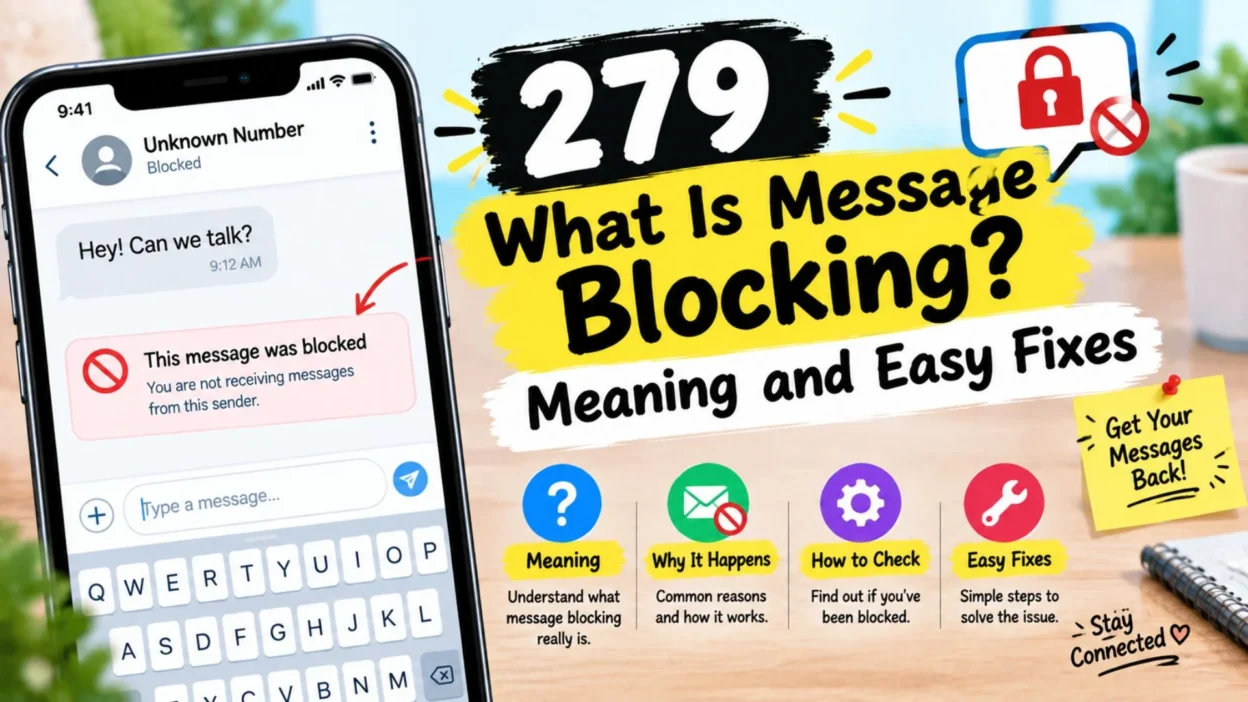
Have you ever tried to send a text message, only to see an unexpected message-blocking notification? It can be confusing, especially when you need to contact someone quickly. You might wonder whether your phone has a problem, your mobile carrier has restricted your service, or the person you are texting has blocked your number.
So, what is message blocking, and why does it happen?
Message blocking is a restriction that prevents certain text messages from being sent or received. It can happen because of your mobile plan, carrier settings, account restrictions, phone settings, or a blocked number. Sometimes, the problem is temporary and only requires a simple fix.
However, message blocking does not always mean another person has blocked you. The exact reason depends on your phone, mobile carrier, messaging app, and the notification you receive.
In this guide, you will learn what message blocking means, why it happens, how to fix it on iPhone and Android, and what to do if your messages still will not send. You will also discover how to tell the difference between a carrier restriction and a blocked contact.
📱 What Is Message Blocking?
Message blocking is a feature or restriction that stops text messages from reaching their intended destination. It may affect outgoing messages, incoming messages, or both.
For example, you might open your messaging app, type a text, and tap Send. Instead of reaching the recipient, your phone may display an error saying that message blocking is active.
This notification means the message could not go through because a restriction or service issue prevented it. The message does not necessarily indicate that the recipient personally blocked you.
Message blocking can occur for several reasons:
- Your mobile carrier has restricted text messaging on your account.
- Your phone plan does not support the type of message you are sending.
- Your account has a billing or service issue.
- A number has been blocked in your phone settings.
- Your carrier has filtered a message as suspicious.
- Your messaging app has a temporary problem.
- Your device is using the wrong SIM or phone number.
- A parental control or communication restriction is active.
The important thing to remember is that message blocking describes a problem with message delivery. You need to identify the cause before choosing the right solution.
💬 What Does “Message Blocking Is Active” Mean?
The notification “Message Blocking Is Active” usually means that a restriction is preventing your text from being delivered. It may appear when you try to send a message to a particular phone number.
The notification does not always explain which restriction is responsible. Your carrier, account, device, or messaging settings may be involved.
For instance, imagine you are texting a friend, but every attempt fails. You may receive the same notification each time. This could indicate a carrier restriction, an account issue, or a problem with the message service.
Here are some possible meanings:
- Carrier restriction: Your mobile provider may have disabled outgoing or incoming texts.
- Account problem: Your service may be limited because of an account or plan issue.
- Number restriction: A blocked contact or communication setting may prevent the message from going through.
- Messaging problem: Your phone may not be sending the message through the correct service.
- Message filtering: Your carrier may be preventing certain messages from reaching their destination.
The wording can vary between carriers and devices. Therefore, do not assume the notification identifies one specific cause.
If the error appears for every contact, start by checking your mobile service and account. If it only happens with one number, check the contact details and blocked-number settings first.
🔍 Why Does Message Blocking Happen?
Message blocking can happen even when your phone appears to be working normally. Your device might have a strong signal, and calls may work, while text messages still fail.
This is because messaging services depend on several factors, including your carrier, account permissions, device settings, and the type of message you send.
📶 Mobile Carrier Restrictions
Your mobile carrier manages the service that allows your phone to send and receive traditional text messages. If the carrier places a restriction on your account, messaging may stop working.
Some restrictions are connected to service settings, account status, or plan limitations. In other cases, a carrier may block messages that appear to be spam or violate its messaging rules.
If you suspect a carrier restriction, contact your provider and ask whether text messaging is active on your line.
💳 Account or Plan Issues
Your mobile plan may not include every type of messaging service. Some plans also have limits or conditions that affect how messages are sent.
An account problem can sometimes affect texting even when other phone features continue to work.
Check your account status and confirm that your plan supports the messages you are trying to send. If your carrier identifies a restriction, ask what steps are needed to restore the service.
🚫 Blocked Phone Numbers
A phone can prevent communication with specific contacts. If a number is blocked, messages between the affected contacts may not be delivered as expected.
However, blocking someone in your phone’s contact settings is not the same as a carrier-level message-blocking restriction.
If you cannot text one particular person, review your blocked contacts and make sure the phone number is correct. Keep in mind that message delivery errors alone cannot reliably prove that someone has blocked you.
📡 Weak Signal or Network Problems
A weak cellular signal can prevent traditional SMS messages from sending. Network interruptions may also affect other messaging services.
You might notice that messages remain pending, fail to send, or display a delivery error.
Try moving to an area with better reception. You can also toggle Airplane Mode off and on, then retry the message after your phone reconnects.
⚙️ Incorrect Phone Settings
Messaging settings can become incorrect after a phone update, a SIM change, or a switch to a new device.
For example, a phone with multiple SIMs might be trying to send a message through the wrong line. An iPhone may also need its messaging settings checked if iMessage is not working as expected.
Review the active phone line and messaging settings before making major changes.
🛡️ Spam Filters and Security Restrictions
Mobile networks use filtering systems to reduce unwanted and harmful text messages. These systems may prevent certain messages from being delivered.
This is especially relevant when sending messages through business messaging services or sending many similar messages in a short period.
If legitimate messages are being blocked, contact your carrier or messaging provider. They can check whether a filtering rule is affecting your service.
🛠️ How to Fix Message Blocking
If message blocking prevents you from sending a text, work through these basic troubleshooting steps. Start with the easiest checks before changing more advanced settings.
🔄 Restart Your Phone
A restart can resolve temporary problems with your phone’s software or network connection.
- Save any work you are doing on your device.
- Restart your phone using its normal power menu.
- Wait for the phone to reconnect to the mobile network.
- Open your messaging app and try sending a short text.
If the message sends successfully, a temporary device issue may have caused the problem.
If the same notification returns, move to the next step.
📶 Check Your Cellular Connection
Traditional SMS messages usually require access to your mobile network. A weak signal or temporary network outage can interfere with delivery.
Check the signal indicator on your phone. If reception is poor, move somewhere with better coverage.
You can also try these steps:
- Turn Airplane Mode on briefly, then turn it off.
- Check whether your phone shows the correct carrier.
- Make sure your SIM or mobile line is active.
- Try again after the network reconnects.
- Ask your carrier whether there is a service outage.
Remember that Wi-Fi alone does not guarantee that traditional SMS will work. Some messaging services use Wi-Fi or mobile data, while standard SMS generally relies on cellular service.
📱 Check Your Messaging App
Sometimes the issue comes from the messaging app rather than the mobile carrier.
Close the app and reopen it. Then check whether other conversations work normally.
If you use an iPhone, Apple’s troubleshooting guidance recommends checking your network connection and trying the available resend or text-message options when an iMessage fails. You can review the official Apple messaging troubleshooting guide.
If you use Android, check the default messaging app and confirm that it has the permissions and settings it needs.
Avoid deleting message data or resetting your phone as an early troubleshooting step. Those actions may remove information or change settings without fixing the underlying restriction.
🔢 Verify the Recipient’s Number
A simple typing mistake can prevent a message from reaching the intended recipient.
Open the conversation and check the phone number carefully. If you recently changed a contact’s number, make sure the old details have not remained in the conversation.
For international numbers, verify the country code and number format. Then try sending a short, ordinary text.
If messages to other contacts work but one number continues to fail, the recipient’s number or the route used to deliver that message may need further checking.
💳 Contact Your Mobile Carrier
If basic troubleshooting does not solve the problem, your carrier is often the best place to start.
Explain the exact notification you see and when it appears. Ask the support representative to check:
- Whether SMS messaging is enabled on your line.
- Whether any account restrictions are active.
- Whether your plan supports the message type.
- Whether a network issue is affecting your area.
- Whether message filtering is preventing delivery.
- Whether your SIM or account needs an update.
Your carrier can check information that is not available in your phone’s settings.
If the carrier confirms that your account is active and unrestricted, ask whether your device or messaging app requires additional troubleshooting.
🍎 How to Fix Message Blocking on iPhone
On an iPhone, a text may use iMessage, SMS, MMS, or RCS, depending on the recipient, settings, carrier support, and software version.
These services do not work in exactly the same way. Therefore, the best fix depends on the type of message that fails.
Try these checks if you use an iPhone.
⚙️ Check Your Messaging Settings
Open Settings and find the Messages settings. Depending on your iOS version, the path may appear under Settings > Apps > Messages.
Check whether iMessage is enabled if you use it. Also, confirm that the correct phone number is selected under Send & Receive.
If you recently moved to a new iPhone or changed your SIM, make sure the intended phone line is turned on.
If iMessage fails, you may see an option to retry or send the message as a text message. Use that option when it is available and appropriate for your conversation.
Keep in mind that switching to SMS may involve carrier charges, depending on your plan.
🚫 Review Your Blocked Contacts
If you cannot receive messages from a particular person, check your blocked contacts.
On supported iOS versions, you can find this list under Settings > Privacy & Security > Blocked Contacts. The exact location can vary by software version.
If you find a contact that you intended to allow, you can unblock it.
Blocking a contact on an iPhone prevents messages from that contact from being delivered as expected. However, the sender is not necessarily notified that their communication has been blocked. Apple explains how contact blocking works here.
🔄 Update and Restart Your iPhone
An outdated version of iOS or a temporary software problem may affect messaging.
Check for an available software update in Settings. Install updates through the normal update process, then restart your phone if needed.
After the restart, check your cellular connection and try sending the message again.
If the problem continues, contact your carrier for SMS, MMS, or RCS issues. For problems specific to iMessage, Apple Support may be able to help.
🤖 How to Fix Message Blocking on Android
Android phones use different messaging apps and settings, so the exact steps depend on your device and software version.
However, you can start with a few common checks.
💬 Check Your Default Messaging App
Open your messaging app and confirm that it is the app you normally use to send texts.
If you recently installed another messaging app, your default SMS app may have changed. Check the phone’s app settings and select the intended messaging app if necessary.
Then reopen the conversation and try sending a short message.
🚫 Review Blocked Numbers
If messages fail only with one contact, open your messaging app’s settings and look for a blocked-numbers list.
The location varies between Android manufacturers and messaging apps.
Check whether the contact’s number appears on that list. If you blocked it accidentally, remove the restriction and try again.
You should also confirm that the number saved in your contacts is correct.
🧹 Clear Temporary App Problems
If the messaging app behaves unexpectedly, close it and restart your phone.
On some Android devices, you can also clear the app’s cache through its information page in Settings. The available options vary by device.
Be careful not to select an option that deletes your messages or resets app data unless you understand the consequences.
If the error continues, contact your carrier. It can help determine whether the issue comes from your mobile account, SIM, network, or message service.
🆚 Is Message Blocking the Same as Someone Blocking You?
No. Message blocking and a person blocking your number are related ideas, but they are not the same thing.
Message blocking is a general term for a restriction that prevents messages from being delivered. It may involve your mobile carrier, account, phone settings, or messaging service.
Contact blocking happens when someone uses a phone or app feature to restrict communication from a particular number or contact.
Here is how the two differ:
- Carrier message blocking: Your mobile provider may prevent messages from being sent or received because of an account, service, or filtering restriction.
- Phone-level blocking: A device may prevent messages from a selected contact from reaching the recipient.
- Messaging-app restrictions: An app may filter, restrict, or fail to deliver certain communications.
- Network problems: A temporary connection issue may prevent delivery without anyone deliberately blocking the message.
A message-blocking error does not automatically mean that a friend, family member, or other contact has blocked you.
Likewise, a message that does not receive a reply is not proof of blocking. The person may be busy, offline, or experiencing a technical problem.
If you need to understand the cause, check your own settings and contact your carrier when necessary. Respect other people’s communication preferences rather than repeatedly trying to contact them through different numbers or accounts.
📩 Does Message Blocking Affect Incoming Texts?
Yes, depending on the restriction.
Some message-blocking settings prevent outgoing texts, while others affect incoming messages. A device-level block may apply to a particular contact, while a carrier restriction may affect messaging more broadly.
For example, you may be able to send messages but fail to receive verification codes or ordinary texts. Alternatively, incoming messages may work while outgoing texts fail.
If you are not receiving messages, try the following:
- Confirm that your mobile service is active.
- Check your blocked contacts.
- Review any spam or filtered-message folders in your messaging app.
- Restart your phone and check the network connection.
- Verify that the sender has your correct number.
- Contact your carrier if incoming SMS messages still do not arrive.
If the problem only affects verification codes, check whether the service supports your number and messaging type. Some services restrict certain numbers or delivery routes.
Do not share verification codes with anyone who asks for them unexpectedly. A missing code is a technical problem to investigate, not a reason to disclose private account information.
🔐 Can Message Blocking Stop Verification Codes?
Message blocking can sometimes prevent verification codes from reaching your phone.
Many services send one-time codes through SMS, although some use email, an authenticator app, or another method.
If you are waiting for a verification code and it never arrives, consider these possible causes:
- Your carrier has restricted incoming text messages.
- Your phone is filtering messages from unknown senders.
- The service cannot deliver codes to your number or carrier.
- Your mobile connection is temporarily unavailable.
- You entered the wrong phone number.
- The service is experiencing a delay.
First, confirm that your phone number is correct. Check your spam or filtered-message folders, if available, and make sure your mobile service works.
You can request another code through the service’s official app or website if it offers that option. Avoid requesting too many codes in quick succession, as some services impose temporary limits.
If ordinary texts arrive but verification codes do not, contact the service that sends the codes or your carrier. They can help identify whether the issue is with the account, delivery route, or messaging service.
🧠 How Can You Tell What Is Causing Message Blocking?
The pattern of the problem can help you decide what to check next. However, these signs are clues rather than definitive proof.
📌 If Every Text Message Fails
If you cannot text anyone, check your mobile account, SIM, cellular connection, and messaging settings.
A broader service restriction or network problem may be responsible.
📌 If Only One Contact Is Affected
Check the number carefully and review your blocked contacts. The recipient’s settings or a problem with that number may also be involved.
Do not assume the person has blocked you based only on a failed text.
📌 If Texts Work but Verification Codes Do Not
Check the service’s phone-number requirements, spam filters, and any carrier restrictions on automated messages.
The issue may affect automated codes rather than ordinary person-to-person texts.
📌 If the Problem Started After Changing Phones
Confirm that your SIM or eSIM is active and that your phone is using the correct number.
On an iPhone, review iMessage and Send & Receive settings. On Android, confirm that the correct messaging app is selected.
📌 If the Problem Started Suddenly
A temporary carrier outage, software issue, or account restriction may explain the change.
Restart your device and check your service. If the error remains, ask your carrier to investigate.
✍️ What Should You Do When Message Blocking Appears?
The best approach is to stay calm and check the most likely causes in order.
Start with your connection, then verify the phone number and messaging settings. Review blocked contacts if the issue affects only one person. If you still cannot send or receive texts, ask your carrier to check your account and messaging service.
Here is a simple troubleshooting checklist:
- Check your cellular signal.
- Restart your phone.
- Confirm that your SIM or eSIM is active.
- Verify the recipient’s phone number.
- Review your messaging app settings.
- Check blocked contacts and filtered messages.
- Confirm that your mobile plan supports the message type.
- Contact your carrier if the problem continues.
Avoid changing several settings at once. Checking one thing at a time makes it easier to identify the actual cause.
Also, do not assume that a message-blocking notification means you have done something wrong. It is a technical notification that needs investigation.
❓ Frequently Asked Questions About Message Blocking
📱 What is message blocking in simple words?
Message blocking means a restriction is preventing a text message from being delivered. The restriction may come from your carrier, account, phone settings, or messaging service. It does not automatically mean another person has blocked you.
🚫 Does “Message Blocking Is Active” mean someone blocked my number?
Not necessarily. The notification can appear because of carrier restrictions, account issues, plan limitations, or other messaging problems. Check your service and settings before drawing conclusions about another person.
🛠️ How do I turn off message blocking?
There is no single setting that fixes every message-blocking error. Check your connection, phone settings, blocked contacts, and mobile account. If your carrier has placed a restriction on messaging, contact the carrier to find out how it can be resolved.
📩 Can I receive texts if message blocking is active?
It depends on the restriction. Some restrictions affect outgoing messages, while others affect incoming messages or both. Your carrier or device settings can help identify which type of restriction applies.
📶 Why can I make calls but not send text messages?
Calling and texting use different service functions and settings. Your carrier may restrict SMS separately, your plan may have a messaging limitation, or your phone may have a messaging-specific problem. Ask your carrier to check your text service if basic troubleshooting does not work.
✅ Conclusion: Understand What Message Blocking Means
Understanding what is message blocking can help you solve text-message problems without jumping to the wrong conclusion. In most cases, the notification means that a restriction or technical issue is preventing a message from reaching its destination.
The cause may be your mobile carrier, account status, messaging app, phone settings, network connection, or a blocked contact. Fortunately, many problems can be investigated with a few simple checks.
Start by restarting your phone, checking your signal, and confirming that the recipient’s number is correct. Next, review your messaging settings and blocked contacts. If messages still fail, contact your mobile carrier and explain the exact error you see.
Most importantly, remember that a message-blocking notification does not automatically mean someone has blocked you. Look for evidence before making assumptions.
With the right troubleshooting steps, you can narrow down the cause, understand your options, and take the next step toward restoring normal messaging.
When a text will not send, check the facts first and fix the cause one step at a time.

Emma Richardson is a content writer passionate about creating heartfelt messages, wishes, and greetings for every occasion. She enjoys helping readers express their emotions with meaningful words that strengthen relationships and celebrate life’s special moments.