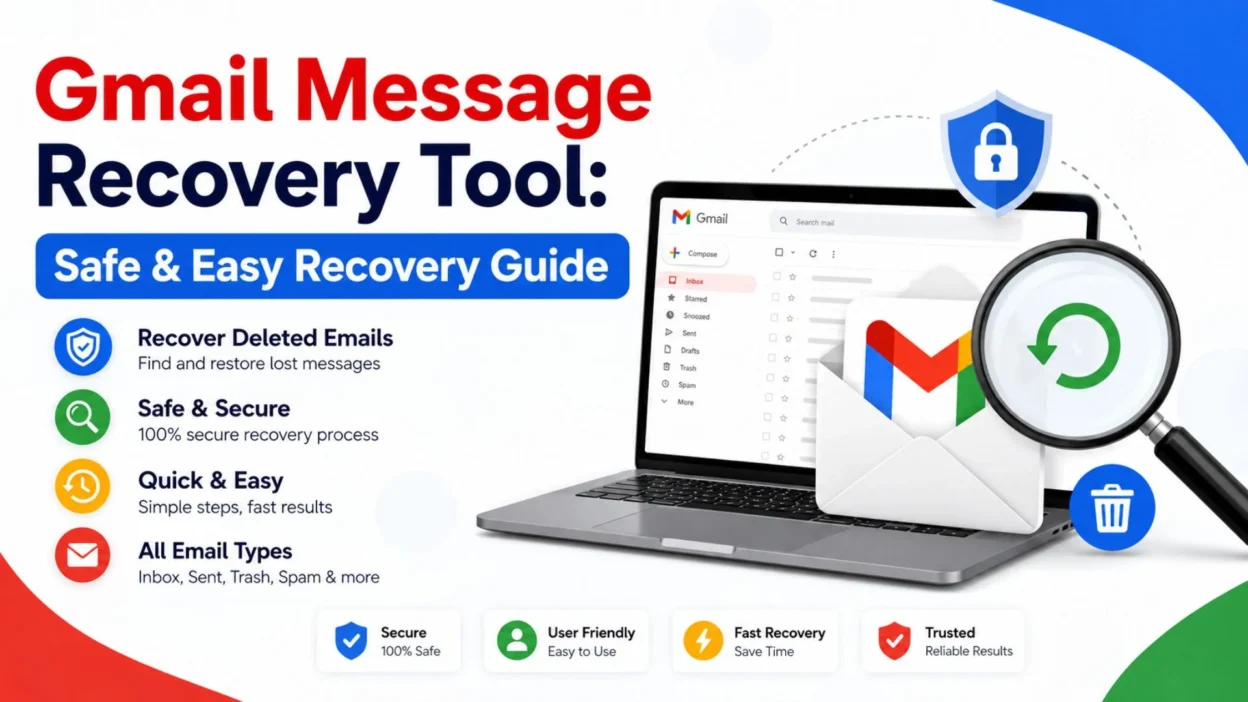
Losing an important Gmail message can be stressful, especially when you need it for work, school, a receipt, or a personal record. You may search your inbox, check the trash, and still wonder where the email went. That is when a Gmail message recovery tool may sound like the perfect solution.
However, not every recovery tool is trustworthy, and Gmail does not provide a magic program that can recover every permanently deleted email. In many cases, the best approach is to use Gmail’s built-in recovery options first. Checking Trash, Spam, filters, forwarding settings, and other folders can sometimes solve the problem without installing anything.
This guide explains what a Gmail message recovery tool really means, when it may help, and which safe recovery methods you should try first. The goal is simple: help you find missing Gmail messages while protecting your account and personal information.
What Is a Gmail Message Recovery Tool?
A Gmail message recovery tool generally refers to software, a service, or a built-in recovery feature designed to help users locate or restore missing email messages.
The important point is that these tools do not all work in the same way. Some simply help you search or organize existing mail, while others claim to recover deleted data.
Before trusting any service with your Gmail account, understand what happened to the missing message. An email that was archived is very different from an email that was permanently deleted.
Top Gmail Message Recovery Tool Options
The safest recovery option is usually Gmail itself. Before looking for third-party software, check the places where your missing message may still exist.
- Gmail Trash: Deleted messages may remain in Trash for a limited period before they are permanently removed.
- Spam folder: Gmail can sometimes place legitimate messages in Spam, so checking this folder is worthwhile.
- All Mail: An archived email may disappear from your Inbox while still being available in All Mail.
- Gmail search: A focused search can uncover messages hidden among thousands of emails.
- Email filters: A filter may automatically archive, delete, or move incoming messages.
- Forwarding settings: If mail was forwarded elsewhere, the message may have been handled differently than expected.
- Multiple Gmail accounts: Check whether the message was received by another account you use.
- Sent folder: If you sent the missing message yourself, it may still be available in Sent.
- Drafts: An unfinished message may have been saved as a draft rather than sent.
- Google account recovery options: If you suspect unauthorized account activity, securing the account should come before using recovery software.
- Google Workspace administrator help: Work or school accounts may have additional administrative recovery options.
- Email backups: If you previously created a legitimate backup, that backup may contain an older copy of the message.
Why Start With Gmail?
Built-in options are safer because you do not have to give an unknown service access to your account.
A third-party tool that asks for your Gmail password, verification code, or unrestricted account access deserves extra caution.
Short Gmail Message Recovery Tool Tips
Sometimes the missing message is not actually gone. A few simple checks can save time and prevent unnecessary software downloads.
- Search Gmail using a memorable word from the email.
- Search by the sender’s email address if you remember it.
- Search for part of the subject line.
- Check Trash before assuming the message is permanently deleted.
- Check Spam for messages Gmail may have filtered.
- Open All Mail to look for archived messages.
- Check Sent if you originally sent the message.
- Look through Drafts if the message was never completed.
- Review Gmail filters when messages repeatedly disappear.
- Check whether another person with account access moved the message.
- Review your account activity if something seems unusual.
- Avoid giving your Gmail password to recovery websites.
- Never share a Gmail verification code with a recovery service.
- Be cautious about tools promising guaranteed recovery.
- Save important emails before deleting them in the future.
- Consider keeping legitimate backups of important correspondence.
Best Gmail Message Recovery Tool Methods for Finding Missing Emails
The best recovery method depends on why the message disappeared. A systematic search is often more useful than immediately downloading recovery software.
Search Gmail Carefully
Gmail’s search feature can locate messages that are easy to miss when browsing folders manually.
Try searching for the sender, recipient, subject, or a distinctive phrase from the email. You can also narrow your search by using Gmail’s available search operators.
For example, searching by sender can be much faster than scrolling through a crowded inbox.
Check the Trash Folder
If you accidentally deleted an email, Trash should be one of the first places you check.
Messages that remain there may still be recoverable through Gmail’s normal controls. If the message has already been permanently removed, however, the situation becomes more limited.
Look in All Mail
Archiving does not necessarily mean deleting.
When an email is archived, it can disappear from the Inbox while remaining in your account. Opening All Mail can therefore reveal messages that appear to have vanished.
Review Filters
Gmail filters can automatically perform actions on incoming messages.
For example, a filter could move certain emails away from the Inbox or apply labels automatically. If messages from a particular sender repeatedly seem to disappear, reviewing your filters can reveal the reason.
Check Account Security
If messages disappeared unexpectedly, consider whether someone else may have accessed the account.
Look for unfamiliar account activity and secure your account if anything seems suspicious. Protecting the account is more important than experimenting with an unknown recovery application.
One-Line Gmail Message Recovery Tool Tips
These quick reminders are useful when you need to recover a missing Gmail message without wasting time.
- Check Trash before trying anything complicated.
- Search All Mail before assuming an email is gone.
- Look in Spam when an expected message disappears.
- Review filters if emails keep moving automatically.
- Never share your Gmail verification code.
- Treat guaranteed recovery claims with caution.
- Use Gmail’s own recovery options first.
- Check your backup if the email is especially important.
- Secure your account if messages disappeared unexpectedly.
- Do not install unknown recovery software just because it promises results.
- Keep important emails backed up when possible.
- A missing Inbox message is not always a deleted message.
- Archived emails can still be available in your account.
- Search by sender when the subject is forgotten.
- Search by a unique phrase when other searches fail.
What to Know Before Using a Gmail Message Recovery Tool
A major mistake is assuming that every deleted Gmail message can be recovered with the right application.
That is not necessarily true.
Email recovery depends on factors such as where the message was stored, whether it was deleted, how long ago the deletion occurred, and what type of Gmail account you use.
A tool cannot simply guarantee access to data that no longer exists or is no longer available through legitimate recovery methods.
For that reason, be skeptical of websites promising 100% recovery. A service asking for your Gmail password or security code is another major warning sign.
Your email account can contain private conversations, documents, receipts, addresses, and other sensitive information. Protecting that information should always come first.
If a message is important, start with Gmail’s own features and account-support options. For work or school accounts, your organization’s administrator may also have options that are unavailable to ordinary personal accounts.
Safe Recovery First, Software Second
When people search for a Gmail message recovery tool, they often want a quick answer. In reality, the safest solution is usually a careful search through Gmail itself.
Start with Trash, Spam, All Mail, Sent, Drafts, and Gmail search. Then review filters and account activity if the problem continues.
Only consider an outside service when you clearly understand what it does and why you need it. Never trade account security for a promise of instant recovery.
A missing email can be frustrating, but rushing into an unfamiliar recovery program can create a much bigger problem.
If You Accidentally Deleted an Email
Start by checking Gmail’s Trash folder. If the message is still there, you may be able to restore it using Gmail’s normal controls.
- Open Gmail and check Trash.
- Search Trash for the sender or subject.
- Look for the message you accidentally removed.
- Restore the email if Gmail still provides that option.
- Avoid emptying Trash while searching for important messages.
- Check All Mail after restoring the message.
- Review your recent email activity if several messages disappeared.
- Make a backup of important messages once you recover them.
If an Email Was Archived
An archived email has not necessarily been deleted. It may simply have been removed from the Inbox.
- Open All Mail and search for the message.
- Search by the sender’s address.
- Search using a memorable word from the subject.
- Check whether the message has a label.
- Look through related conversations.
- Return the message to the Inbox when you find it.
- Check Gmail filters if similar messages are being archived automatically.
If the Email Is Missing From Every Folder
A more thorough search may help determine whether the message is still available.
- Search Gmail using different words.
- Try the sender’s complete email address.
- Search for part of the subject.
- Check Trash and Spam separately.
- Review All Mail.
- Check Sent and Drafts.
- Look at filters that may affect incoming messages.
- Check whether another account received the message.
- Review account activity if the disappearance seems unusual.
- Contact the appropriate Google or Workspace support channel when necessary.
Gmail Search Tricks Before Using a Recovery Tool
Gmail search can be surprisingly powerful. A message that seems lost may simply be buried beneath years of other emails.
Try combining details you remember about the message rather than searching only for its subject.
- Search by the sender’s email address.
- Search by the recipient when appropriate.
- Search for a distinctive word from the email.
- Search by a remembered subject phrase.
- Search within a particular folder.
- Search by approximate dates when you remember when the email arrived.
- Search for attachments if the missing email contained a file.
- Try a shorter search phrase if the first search returns nothing.
- Remove unnecessary search terms and try again.
- Check All Mail rather than looking only at Inbox.
- Search Spam separately.
- Search Trash separately.
- Look for related messages in the same conversation.
When a Third-Party Gmail Message Recovery Tool May Be Risky
Not every website that advertises email recovery is legitimate. Some services may use impressive-looking claims to encourage users to hand over sensitive account information.
Be particularly cautious when a tool:
- Promises guaranteed recovery of every deleted email.
- Claims it can recover permanently deleted Gmail messages instantly.
- Requests your Gmail password directly.
- Asks for your two-step verification code.
- Requests unusual account permissions without explaining why.
- Tells you to disable security features.
- Requires unknown software before explaining what it does.
- Uses urgent messages to pressure you into paying.
- Provides vague information about how recovery works.
- Has no clear privacy or security information.
- Claims to have special access to Google’s private systems.
- Asks you to send private emails or attachments unnecessarily.
A professional-looking website is not proof that a recovery service is safe. Treat your Gmail account like a locked personal filing cabinet: only give access to services you genuinely trust and understand.
How to Protect Important Gmail Messages
Recovery is easier when you prepare before something goes wrong.
A few simple habits can reduce the risk of losing important correspondence.
- Keep important messages organized with Gmail labels.
- Avoid deleting emails you may need later.
- Archive useful messages instead of deleting them.
- Keep important attachments in a secure backup location.
- Save critical receipts and records separately when appropriate.
- Review filters occasionally.
- Keep your Google account protected with strong security settings.
- Watch for unfamiliar account activity.
- Avoid sharing passwords and verification codes.
- Be careful when granting third-party applications account access.
- Remove access for services you no longer use.
- Keep copies of essential work or school correspondence.
Gmail Message Recovery Tool for Personal Accounts
Personal Gmail accounts and managed Google Workspace accounts can have different recovery options.
If you use Gmail for personal communication, begin with the standard Gmail folders and search features. Check whether the message is archived, deleted, filtered, or simply difficult to locate.
If the account belongs to a school, business, or organization, an administrator may have additional tools or policies available. In that situation, contacting the administrator can be more appropriate than installing an unknown recovery application.
The safest choice is always to use the recovery option that matches your account type.
Gmail Message Recovery Tool for Work or School Email
Work and school accounts deserve extra caution because they may contain confidential information.
If an important message disappears from a managed account:
- Check Gmail’s available folders first.
- Search for the message using several terms.
- Ask whether another authorized user moved the message.
- Review applicable account settings.
- Contact your organization’s administrator when appropriate.
- Follow your organization’s data-recovery procedures.
- Avoid installing unauthorized recovery software.
- Do not send confidential messages to unknown recovery services.
- Never share your account password with an outside tool.
- Follow your organization’s security policies.
An administrator may be able to explain what recovery options are available for your specific account.
What a Gmail Message Recovery Tool Cannot Reliably Do
It is important to separate realistic recovery from marketing promises.
A legitimate recovery process cannot guarantee that every message ever deleted from Gmail can be restored. If an email is no longer available through Google’s supported recovery mechanisms, an unrelated third-party application cannot simply recreate the original message from nowhere.
That is why phrases such as “recover every deleted Gmail message” should immediately make you cautious.
A good recovery process focuses on finding messages that are still available rather than promising impossible results.
Best Recovery Checklist
When an important Gmail message disappears, keep the process simple.
- Search Gmail.
- Check All Mail.
- Check Spam.
- Check Trash.
- Check Sent.
- Check Drafts.
- Review filters.
- Look for related conversations.
- Check account activity if something seems wrong.
- Consider whether another account received the message.
- Use legitimate support options when appropriate.
- Avoid suspicious recovery websites.
- Never share passwords or verification codes.
- Back up important information after recovery.
This approach can help you avoid unnecessary software while giving you the best chance of finding a message that is still available.
Gmail Message Recovery Tool: Common Mistakes to Avoid
People often make the situation worse because they act too quickly.
One common mistake is immediately downloading software after seeing a promising recovery advertisement. Another is giving an unfamiliar service full access to a Gmail account.
Instead, pause and identify the problem.
Was the email deleted? Archived? Filtered? Sent somewhere else? Or was the account accessed by someone else?
Once you know the likely cause, the next step becomes much clearer.
Mistakes Worth Avoiding
- Do not assume an archived email has been deleted.
- Do not empty Trash while searching for a missing message.
- Do not share your Gmail password with recovery websites.
- Do not provide verification codes to strangers.
- Do not trust guaranteed-recovery claims automatically.
- Do not disable important security protections.
- Do not install unknown programs without understanding them.
- Do not send private email content to questionable services.
- Do not ignore suspicious account activity.
- Do not assume every missing email is permanently lost.
When Should You Contact Support?
If normal Gmail searches and folders do not solve the problem, support may be the better next step.
This is especially true when the account belongs to an organization or when you suspect unauthorized access.
Before contacting support, gather the basic details you remember, such as the approximate date, sender, recipient, subject, and whether the message contained an attachment.
Avoid sending unnecessary private information.
The more clearly you can describe the problem, the easier it may be to determine which legitimate recovery options are available.
A Smarter Way to Think About Gmail Recovery
A Gmail message recovery tool should not be your first assumption. Think of recovery as a process rather than a single piece of software.
First, search. Then check folders. Next, review filters and account activity. After that, consider legitimate support options.
Only then should you evaluate whether an external service is actually necessary.
This approach is slower than clicking the first “instant recovery” advertisement, but it is much safer for your account and personal information.
Your email is valuable. Protecting access to it matters just as much as finding one missing message.
Best Gmail Message Recovery Tool for Quick Recovery
When a Gmail message seems to have disappeared, the fastest solution is usually a careful search rather than a special recovery program.
Start with Gmail’s built-in options and move toward more advanced help only when necessary. This keeps your account safer and can often solve the problem without additional software.
- Search for the sender’s email address.
- Search for a unique word from the message.
- Check All Mail for archived emails.
- Look through Spam for incorrectly filtered messages.
- Check Trash for recently deleted emails.
- Review Sent if you originally wrote the message.
- Check Drafts for unfinished messages.
- Look for conversation threads connected to the missing email.
- Review filters that could automatically move messages.
- Check forwarding settings if incoming emails behave unexpectedly.
- Look for unfamiliar account activity.
- Contact your Workspace administrator if the account is managed by an organization.
- Use official account-support options when normal recovery does not work.
- Avoid unknown recovery programs that request sensitive credentials.
- Save important emails after finding them so the same problem is easier to handle later.
Best Messages for Captions
If you are creating a social post about an email mishap, these short captions can add a relatable touch without revealing private information.
- Lost an email, found a lesson. 📧
- That missing message really chose hide-and-seek.
- Searching Gmail like it’s a treasure map.
- Inbox: calm. Me: absolutely not.
- One missing email can cause a whole investigation.
- When “Where did that email go?” becomes the question of the day.
- Gmail search mode: activated.
- Found the email. Crisis officially downgraded.
- My inbox and I are currently negotiating.
- Some emails disappear better than socks in a laundry room.
- Deleted does not always mean forgotten.
- Today’s mission: find that missing message.
- The email was hiding in plain sight.
- A five-minute search saved a very important email.
- Gmail detective work starts now. 🔎
- Never underestimate the power of a good search.
- One email. Ten folders. Zero patience.
- When the inbox becomes a mystery novel.
- Found it—and suddenly everything makes sense.
- Save important emails before future-you needs them.
Copy-Paste Ready Messages
These short lines are useful when you need to explain an email-recovery situation to someone else.
- “I’m checking Gmail’s folders and search options before trying any recovery software.”
- “The message may have been archived rather than deleted, so I’m checking All Mail.”
- “I’m looking through Trash and Spam before assuming the email is permanently gone.”
- “I’m searching by sender and subject to see whether Gmail can locate the message.”
- “I’ll avoid sharing my Gmail password with any recovery service.”
- “I’m checking my filters because they may have moved the email automatically.”
- “The message is important, so I’m using safe recovery options first.”
- “I’m checking whether the email was sent to another account.”
- “I’m reviewing account activity because several messages disappeared unexpectedly.”
- “I’m going to contact the account administrator if the normal recovery options do not work.”
- “I found the message in All Mail, so it was archived rather than deleted.”
- “The email was in Trash, and I was able to restore it.”
- “I’m checking Spam because Gmail may have filtered the message.”
- “I’m avoiding tools that promise guaranteed recovery.”
- “I’ll back up the important message once I find it.”
Gmail Message Recovery Tool: Frequently Asked Questions
Can a Gmail message recovery tool recover permanently deleted emails?
Not every deleted message can be recovered. Recovery depends on whether the message is still available through Gmail’s supported recovery options. Be cautious of services promising guaranteed recovery.
What should I check before using a Gmail message recovery tool?
Check Gmail Search, All Mail, Spam, Trash, Sent, and Drafts. Also review filters and account activity if the message disappeared unexpectedly.
Is it safe to give a recovery tool my Gmail password?
You should not give your Gmail password to an unknown recovery service. A password gives access to your account and potentially to private messages and attachments.
Can archived Gmail messages be recovered?
An archived message may not need recovery at all. It can still be available in All Mail or through Gmail Search even though it no longer appears in the Inbox.
What should I do if important Gmail messages disappeared unexpectedly?
Start with Gmail’s normal search and folder options. If the issue continues, review account security and consider contacting the appropriate Google or Workspace support channel.
Final Thoughts
A missing Gmail message can feel like a small problem until you suddenly need that exact email. Fortunately, you do not always need specialized software to find it. The message may still be sitting in Trash, Spam, All Mail, Sent, or another location within your account.
If you are searching for a Gmail message recovery tool, begin with Gmail’s own recovery and search features. They are the most sensible place to start and can help you avoid giving sensitive account information to an unfamiliar service.
Take your time, search carefully, and investigate why the message disappeared before downloading anything. Most importantly, never trade your account security for an unrealistic promise of instant recovery.
Once you recover an important message, consider keeping a safe backup and organizing your Gmail more carefully. A few simple habits can make future searches much easier.

Emma Richardson is a content writer passionate about creating heartfelt messages, wishes, and greetings for every occasion. She enjoys helping readers express their emotions with meaningful words that strengthen relationships and celebrate life’s special moments.