Seeing RCS in the Messages app on your iPhone can be confusing, especially if you are used to seeing iMessage or SMS. You may wonder what RCS means, why it appears, and whether it changes the way your messages work.
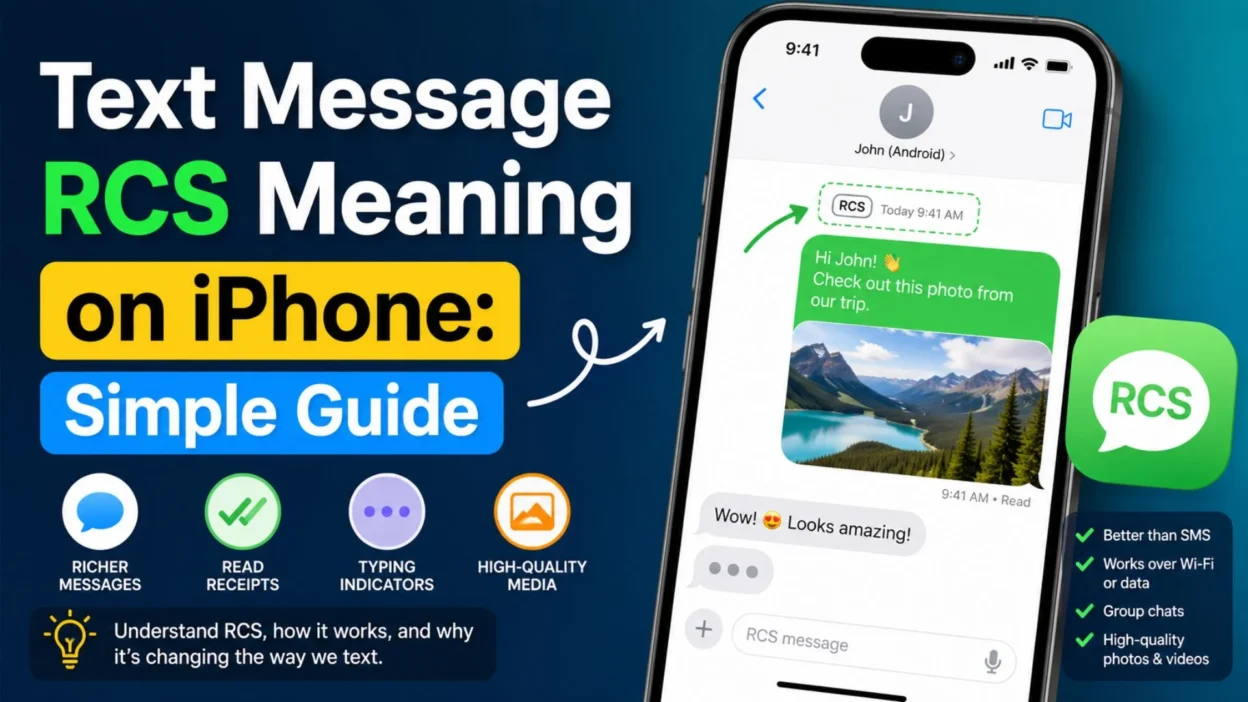
The good news is that RCS is simply a newer messaging standard. It can make texting between iPhones and Android phones feel more like modern chat. For example, RCS can support features such as higher-quality photos, read receipts, typing indicators, and better group chats when supported by the carrier and device.
However, RCS is not the same as iMessage. The two systems work in different ways, even though both can offer useful chat features.
In this guide, we will explain the text message RCS meaning on iPhone in simple language. You will also learn how RCS compares with SMS and iMessage and what you can expect when texting Android users.
What Does RCS Mean on iPhone?
RCS stands for Rich Communication Services. It is a messaging standard designed to offer more features than traditional SMS texting.
On an iPhone, RCS can be used when you are texting someone who does not use iMessage, such as a person with an Android phone. Instead of relying only on older SMS and MMS features, your phone may use RCS when your carrier and settings support it.
RCS can make regular texting feel more like a modern chat service.
For example, RCS may support:
- Higher-quality photos and videos
- Read receipts
- Typing indicators
- Better support for group chats
- Larger message limits than traditional SMS
- Delivery status information
- Messaging over mobile data or Wi-Fi
So, when you see RCS in the Messages app, it generally means that the conversation is using the RCS messaging standard instead of traditional SMS or MMS.
Why Does RCS Appear in iPhone Messages?
You may see RCS when you start a conversation with someone who cannot use iMessage. This often happens when the other person has an Android phone.
Normally, messages between Apple devices can use iMessage. However, iMessage does not work as the messaging system for Android users.
In that situation, your iPhone may use another messaging method. If RCS is available, the conversation can use RCS instead of older SMS or MMS.
For example, you might notice an RCS label when:
- You are texting an Android phone.
- Your iPhone supports RCS.
- Your mobile carrier supports RCS.
- RCS messaging is enabled on your device.
- The other person’s network and phone support the required RCS features.
Therefore, seeing RCS does not usually mean there is a problem with your iPhone. Instead, it tells you which messaging standard is being used for that conversation.
RCS vs. iMessage on iPhone
RCS and iMessage can both provide modern messaging features. However, they are different technologies.
Here is a simple comparison:
- iMessage: Apple’s messaging service for supported Apple devices.
- RCS: A messaging standard used for richer texting, including conversations between iPhone and Android users when supported.
- SMS: A traditional text messaging system with basic features.
- MMS: An older system commonly used for picture and multimedia messages.
iMessage is closely connected to Apple’s messaging system. RCS, on the other hand, is based on an industry messaging standard.
As a result, an iPhone can use different messaging systems depending on who you are contacting and what their device and network support.
What Is the Difference Between RCS and SMS?
RCS and SMS are both used for messaging, but they offer different capabilities.
SMS was designed mainly for simple text messages. It has been around for many years and works across a wide range of mobile networks and phones.
RCS was created to bring richer features to standard messaging.
With RCS, supported conversations may include:
- Read receipts
- Typing indicators
- Better-quality media sharing
- Improved group messaging
- Larger message capabilities
- Delivery information
SMS is more basic. For example, a traditional SMS conversation does not provide the same modern chat features that RCS can offer.
Therefore, if you are used to iMessage, RCS may feel more familiar than old-fashioned SMS when texting someone on another platform.
Is RCS the Same as iMessage?
No. RCS is not the same as iMessage.
Although both can support features such as read receipts and typing indicators, they are separate messaging systems.
iMessage is Apple’s own messaging service. RCS is an open messaging standard supported by different companies, carriers, and device makers.
For example, when you send a message from an iPhone to another iPhone using iMessage, the conversation can use iMessage. However, when you communicate with an Android user, the conversation may use RCS if the required support is available.
That means the message experience can change depending on the person you are contacting.
What Does RCS Look Like on an iPhone?
The exact appearance can vary depending on your iPhone, iOS version, carrier, and messaging setup.
In a supported conversation, you may see RCS associated with the message field or conversation. You may also notice features that are different from traditional SMS.
For example, the conversation may support:
- Typing indicators
- Read receipts
- Delivery status
- Better-quality images
- More capable group chats
However, not every RCS feature will necessarily work in every conversation. Carrier support, network conditions, device settings, and software can affect what is available.
So, if a feature does not appear, that does not automatically mean something is wrong with your iPhone.
Does RCS Work With Android Phones?
Yes. One of the main reasons RCS is useful on iPhone is that it can improve messaging between iPhone and Android users.
In the past, texting between the two platforms often relied on SMS or MMS. Those older systems can feel limited compared with modern messaging apps.
RCS can provide a richer experience when both the required device and network support are available.
For example, you may be able to send:
- Higher-quality photos
- Higher-quality videos
- Messages with delivery information
- Messages with read receipts
- Group messages with more modern features
However, RCS does not turn an Android conversation into an iMessage conversation. The systems remain separate.
What Happens When RCS Is Not Available?
If RCS is not available, your iPhone may use another messaging method, depending on the conversation and your network.
For example, a message may be sent using SMS or MMS instead.
This can happen because:
- Your carrier does not support RCS.
- RCS is not enabled.
- Your connection is unavailable.
- The recipient’s setup does not support the required features.
- A temporary network issue affects messaging.
In that case, the conversation may lose some of the richer features that RCS can provide.
So, seeing a change between RCS and SMS does not always indicate a serious problem. It can simply mean that the available messaging method has changed.
RCS vs. SMS vs. iMessage on iPhone
These three terms can look confusing at first. However, each one has a different role in your Messages app.
- iMessage: Apple’s messaging service for supported Apple devices.
- RCS: A modern messaging standard that can improve chats between supported devices and networks.
- SMS: A basic text messaging service that works across many mobile networks.
- MMS: An older messaging service often used for pictures and other media.
The easiest way to remember the difference is this: iMessage is Apple’s own service, while RCS is a messaging standard. SMS and MMS are older mobile messaging systems.
Because of these differences, your iPhone may use a different system depending on who you are messaging.
RCS vs. iMessage: Key Differences
RCS and iMessage can both offer useful chat features. Still, they are not interchangeable.
Here are some simple differences:
- iMessage is designed by Apple.
- RCS is based on an industry messaging standard.
- iMessage is mainly used between supported Apple devices.
- RCS can be used for supported conversations with users on other platforms.
- iMessage works through Apple’s messaging service.
- RCS depends on device, carrier, and network support.
- Both can support features such as read receipts and typing indicators.
- The exact features can vary based on the messaging setup.
So, if you are texting an Android user from an iPhone, RCS can provide a richer experience than traditional SMS when it is supported.
Does RCS Mean Someone Is Texting You?
Not by itself.
RCS is not the name of a person or a special type of contact. Instead, it tells you about the messaging technology being used for the conversation.
For example, if you see RCS in a chat, it can mean your iPhone is using RCS for that conversation rather than SMS or MMS.
Therefore, you do not need to worry if you notice the RCS label. It is simply information about how the message is being sent.
Does RCS Mean the Message Was Read?
Not necessarily.
RCS can support read receipts, but whether you see them depends on the devices, networks, settings, and services involved.
If read receipts are available and enabled, you may see an indication that the other person has read your message.
However, an RCS label alone does not guarantee that the message has been read.
That distinction is important because RCS tells you the messaging standard, not the message status.
Does RCS Mean Someone Has an Android Phone?
Often, RCS can appear when you are messaging someone outside Apple’s iMessage system. In many cases, that means the other person is using Android.
However, the RCS label itself does not tell you everything about the other person’s phone.
It is better to think of RCS as the communication method being used for that chat.
For example, your iPhone may use iMessage with one contact and RCS with another. The difference depends on the messaging systems available to both sides.
Can RCS Send Photos and Videos?
Yes, supported RCS conversations can provide better media sharing than traditional SMS or MMS.
For example, RCS can support higher-quality photos and videos. This can make sharing pictures from an iPhone to an Android phone feel smoother than older MMS messaging.
However, the exact quality and limits can depend on the network and service.
If a photo looks different after sending, several factors may be involved. The phone, carrier, connection, and messaging system can all affect the result.
Does RCS Need Wi-Fi?
RCS can use an internet connection, such as mobile data or Wi-Fi, depending on the service and network setup.
That is one reason RCS can offer features that go beyond traditional SMS.
SMS, in contrast, is designed to work through a cellular network without requiring an internet connection.
Still, RCS availability depends on your carrier and network. So, having Wi-Fi does not automatically mean every RCS feature will work.
Does RCS Use Mobile Data?
RCS can use mobile data when your phone is connected through your cellular data service. It may also work through Wi-Fi.
This is different from traditional SMS, which does not use your mobile internet connection in the same way.
If you are concerned about mobile data use, remember that sending large photos and videos can use more data than simple text messages.
For normal texting, data use is generally much smaller than sending large media files.
Can RCS Work Without Internet?
RCS generally relies on an internet connection, such as mobile data or Wi-Fi, for its richer messaging features.
If an internet connection is unavailable, your phone may not be able to send the message through RCS.
Depending on your settings and network, the message may instead use another available messaging method.
For that reason, a weak data connection can affect an RCS conversation even when your cellular signal looks fine.
Why Is My iPhone Showing RCS Instead of iMessage?
The most common reason is that the person you are contacting is not using iMessage.
For example, you may be texting an Android user. Since iMessage is an Apple service, the conversation cannot use iMessage with that person.
If your carrier and device support RCS, your iPhone can use RCS for that chat.
Therefore, seeing RCS instead of iMessage is usually normal when messaging someone outside the Apple messaging system.
Why Does My RCS Message Say Delivered?
A Delivered status generally means the message reached the recipient’s messaging service or device, depending on the system.
That is different from a read receipt.
For example:
- Sent means your message was sent.
- Delivered generally means it reached the recipient.
- Read means the recipient has opened or read it when read receipts are supported and enabled.
These labels can vary by messaging system and software version.
So, if you see “Delivered,” it does not necessarily mean the person has already read your message.
Why Is My RCS Message Not Delivered?
There are several possible reasons.
First, check your internet connection. RCS can depend on mobile data or Wi-Fi, so a weak connection may cause trouble.
Also, the recipient may have no internet connection or may have a temporary service problem.
Other possible reasons include:
- RCS is not available on one side.
- The carrier does not support the required RCS service.
- RCS settings have changed.
- The recipient’s phone is offline.
- There is a temporary network issue.
- The messaging service is having an outage.
Because several things can affect delivery, one failed message does not always point to a problem with your iPhone.
How Do I Know If RCS Is Working?
The easiest way is to look at the Messages app when you are texting a supported contact.
If RCS is available, your conversation may show an RCS label or provide richer messaging features.
You may also notice options such as:
- Read receipts
- Typing indicators
- Delivery information
- Better-quality media sharing
- Improved group messaging
However, the exact experience can vary.
If RCS features are missing, check your iPhone’s messaging settings and make sure your software and carrier support the feature.
How to Check RCS Settings on iPhone
If you want to see whether RCS is available, open your iPhone’s Settings app and look for the Messages section.
Depending on your iOS version and carrier, the RCS setting may appear under the messaging options.
You can then check whether RCS is available and enabled.
If you do not see an RCS option, do not assume your iPhone is broken. Your carrier, region, software version, or service may affect availability.
For the most accurate information, check Apple’s current support guidance and your carrier’s RCS support details.
What If RCS Is Missing From My iPhone?
If you expected to see RCS but cannot find it, several things may explain the difference.
First, make sure your iPhone is running a supported version of iOS. Next, check whether your mobile carrier supports RCS on iPhone.
You can also check your network connection and restart your phone if messaging features seem stuck.
If the option still does not appear, your carrier or region may not support the feature yet.
In short, RCS availability is not based only on the iPhone model. Software, carrier support, network service, and regional availability can all matter.
Can I Turn RCS Off on iPhone?
If your iPhone and carrier provide an RCS setting, you may be able to change it through the Messages settings.
The exact steps can vary by iOS version and carrier.
Before changing the setting, remember that turning RCS off can affect the features available when messaging people who do not use iMessage.
For example, a conversation may fall back to another messaging method if RCS is unavailable.
If you are unsure which option is best, keeping the default setting is often the simplest choice.
Is RCS Safe to Use on iPhone?
RCS includes security features, but its protection is not identical to iMessage in every situation.
This is an important point because people sometimes assume that all modern messaging systems provide the same type of privacy and encryption.
They do not.
The security of an RCS conversation can depend on the specific service, implementation, and messaging setup.
Therefore, if privacy is important to you, learn how your carrier and messaging service handle RCS before assuming it offers the same protections as iMessage.
Does RCS Cost Money?
RCS messages are generally handled through an internet connection rather than as traditional SMS messages.
However, your mobile carrier’s plan and data rules still matter.
If you use mobile data to send RCS messages, that activity can count toward your data allowance.
The exact cost depends on your phone plan and carrier.
So, RCS itself is not simply a separate paid messaging app. Instead, it works as part of supported messaging services and networks.
Does RCS Work in Group Chats?
RCS can support richer group messaging than traditional SMS or MMS.
For example, supported group chats may provide better media sharing, typing indicators, and read receipts.
However, group messaging can be more complex because every participant may have a different phone, carrier, or messaging service.
As a result, the features available in a group can depend on who is included and what their devices and networks support.
If a group chat does not provide every RCS feature, that does not necessarily mean your iPhone has a problem.
Can RCS Replace SMS on iPhone?
RCS can replace SMS for some supported conversations, but it does not remove SMS from your iPhone.
Instead, your phone can use different messaging systems based on the person you are contacting and the services available.
For example:
- iMessage can be used for supported Apple-to-Apple conversations.
- RCS can be used for supported conversations with other phones.
- SMS may be used when RCS is not available.
- MMS may still be used for some older messaging situations.
Therefore, you may see different message types in the same Messages app. Your iPhone chooses the available method based on the conversation.
Can RCS Messages Be Sent Over Wi-Fi?
Yes, RCS can work through Wi-Fi when the service and network support it.
This is one reason RCS can provide a more modern texting experience than traditional SMS.
For example, you may be able to send messages and media through an internet connection instead of relying only on the traditional SMS system.
However, the exact behavior depends on your carrier and RCS service.
If your Wi-Fi connection is weak, you may notice delays. In that case, switching to a reliable connection may help.
Why Does RCS Sometimes Change to SMS?
You may notice that a conversation uses RCS at one time and another messaging method later.
This can happen when the conditions needed for RCS are no longer available.
For example:
- Your internet connection may be unavailable.
- The recipient may be offline.
- RCS service may be temporarily unavailable.
- Carrier support may affect the connection.
- One person’s messaging settings may have changed.
Because of this, a change from RCS to SMS does not always mean something is wrong.
Instead, your iPhone may simply be using another available way to send the message.
Why Does My RCS Message Look Different From iMessage?
RCS and iMessage are separate messaging systems. Therefore, they can look or behave differently in the Messages app.
You may notice differences in:
- Message labels
- Bubble appearance
- Read receipts
- Typing indicators
- Media sharing
- Group chat features
- Delivery information
Even when both systems offer similar features, they do not work in exactly the same way.
So, if an RCS conversation looks different from an iMessage conversation, that is expected.
Does RCS Work With All Android Phones?
Not necessarily.
RCS support can depend on the Android phone, software, carrier, region, and messaging service involved.
Many modern Android devices support RCS, but that does not mean every device or network will provide every feature.
For this reason, two people may have different messaging experiences even when both are using RCS-compatible phones.
If you are having trouble with one specific contact, the issue may be related to their device or network rather than your iPhone.
Can RCS Send Large Photos?
RCS can support richer media sharing than traditional SMS or MMS.
That can make it easier to send higher-quality photos and videos in supported conversations.
However, there can still be limits based on the carrier, network, and messaging service.
If you need to send a very large file, a dedicated file-sharing or cloud service may be more suitable.
For everyday pictures and videos, though, RCS can provide a much better experience than older text messaging methods.
Does RCS Have Read Receipts?
RCS can support read receipts.
A read receipt can show that a message has been opened or read when the feature is supported and enabled.
However, you should not assume that every RCS message will show a read status.
The feature can depend on the messaging service, device, settings, and other factors.
So, if you do not see a read receipt, it does not automatically mean the other person ignored your message.
Does RCS Show Typing Indicators?
Supported RCS conversations can show typing indicators.
A typing indicator can let you know that the other person is writing a reply.
This makes RCS feel more like a modern chat service.
Still, typing indicators may not appear in every conversation. The feature depends on the messaging systems and settings on both sides.
Therefore, not seeing a typing indicator does not necessarily mean RCS is not working.
Can I Use RCS Without an Apple ID?
RCS is different from iMessage, so it does not depend on the same Apple messaging setup.
However, your ability to use RCS on an iPhone depends on your device, iOS version, carrier, and network support.
The important point is that RCS is not simply another name for iMessage.
It is a separate messaging standard that can help iPhone users communicate with supported non-Apple devices.
What Does RCS Mean When Texting an Android User?
When you see RCS while texting an Android user, it generally means your conversation is using the Rich Communication Services standard.
Instead of relying only on basic SMS or MMS, the conversation may support more modern features.
For example, you may get:
- Better-quality photos
- Better-quality videos
- Read receipts
- Typing indicators
- Delivery information
- Improved group messaging
However, the exact features can vary.
So, the simple text message RCS meaning on iPhone is that your iPhone is using a richer messaging standard for a supported conversation.
RCS Troubleshooting Tips for iPhone
If RCS does not seem to work correctly, start with a few simple checks.
First, make sure your iPhone has a working internet connection. RCS features can depend on mobile data or Wi-Fi.
Next, check your Messages settings and make sure RCS is available and enabled if your carrier provides the option.
You can also try these basic steps:
- Check for an iOS update.
- Check whether your carrier supports RCS.
- Make sure mobile data or Wi-Fi is working.
- Restart your iPhone.
- Check whether the issue happens with one contact or several.
- Ask the other person to check their messaging service.
- Give the service a little time if there is a temporary network problem.
If the problem continues, contacting your carrier may help because RCS availability can depend on carrier support.
RCS Message Not Sending? Try These Checks
When an RCS message does not send, first check your internet connection.
If the connection looks fine, try sending a short text instead of a large photo or video. This can help you see whether the problem affects all messages or only media.
You can also check whether other conversations work normally.
If messages to other people work, the issue may be limited to the recipient’s device or messaging service.
On the other hand, if RCS is not working with anyone, your carrier, settings, or network may be involved.
A quick restart can also solve temporary messaging problems.
Is RCS Better Than SMS?
For supported conversations, RCS can offer more features than traditional SMS.
For example, RCS may provide:
- Better-quality media
- Read receipts
- Typing indicators
- Improved group chats
- Delivery information
- Internet-based messaging
SMS still has an important advantage: it is simple and widely supported.
Therefore, it is not accurate to say that RCS makes SMS completely useless. Instead, RCS provides a richer option when the required support is available.
Is RCS Better Than iMessage?
There is no simple “better” answer because RCS and iMessage serve different purposes.
iMessage is Apple’s own messaging service and works especially well within the Apple ecosystem.
RCS, meanwhile, can improve messaging between supported devices and networks, including some conversations between iPhone and Android users.
So, the better choice depends on who you are messaging and what features you need.
If you mainly communicate with other Apple users, iMessage may be the familiar option. If you regularly text Android users, RCS can provide useful improvements over traditional SMS.
Does RCS Work Everywhere?
RCS availability can vary by country, carrier, device, and software.
That means an RCS feature available to one iPhone user may not be available to another person in a different region or on another carrier.
Because support can change over time, it is best to check the current information from your carrier and Apple when you need exact availability details.
This is also why online advice about RCS can sometimes seem confusing. Older information may not match the current software or carrier support.
Quick RCS Meaning on iPhone
If you only need the short answer, here is the simple version:
- RCS means Rich Communication Services.
- It is a modern messaging standard.
- It can appear when texting supported non-iMessage contacts.
- Android users are a common example.
- RCS can offer richer features than SMS.
- Features may include read receipts and typing indicators.
- RCS can support higher-quality photos and videos.
- It can work through mobile data or Wi-Fi.
- It is different from iMessage.
- RCS availability depends on your device, carrier, software, and network.
In short, seeing RCS in your iPhone Messages app usually means that the conversation is using Rich Communication Services rather than traditional SMS.
Frequently Asked Questions About Text Message RCS Meaning on iPhone
What does RCS mean in a text message on iPhone?
RCS means Rich Communication Services. It is a messaging standard that can offer features such as read receipts, typing indicators, better media sharing, and improved group chats when supported.
Why does my iPhone say RCS instead of iMessage?
Your iPhone may show RCS when you are messaging someone who is not using iMessage, such as an Android user. If your carrier and device support RCS, the conversation can use RCS instead of SMS.
Is RCS the same as SMS?
No. SMS is an older text messaging system. RCS is a newer standard designed to provide richer features, such as better media sharing, typing indicators, and read receipts.
Is RCS the same as iMessage?
No. iMessage is Apple’s messaging service, while RCS is a separate messaging standard. They can offer some similar features, but they work differently.
Does RCS mean the other person has Android?
It can often appear when you are messaging an Android user, but the RCS label itself only tells you about the messaging system being used. It does not provide a complete description of the other person’s device.
Final Thoughts on Text Message RCS Meaning iPhone
Understanding the text message RCS meaning on iPhone is much easier once you know that RCS stands for Rich Communication Services. In simple terms, it is a newer way to handle supported text conversations with richer features than traditional SMS.
You may see RCS when messaging someone outside the iMessage system, especially an Android user. Depending on the device, carrier, and network, RCS can provide features such as better-quality photos, read receipts, typing indicators, and improved group chats.
At the same time, RCS is not the same as iMessage. Your iPhone can use different messaging systems depending on the person you contact and the services available.
So, the next time you see RCS in Messages, there is usually no reason to worry. It simply tells you how that conversation is being handled.
Save this guide for later, or share it with someone who has been wondering what RCS means on their iPhone.

Emma Richardson is a content writer passionate about creating heartfelt messages, wishes, and greetings for every occasion. She enjoys helping readers express their emotions with meaningful words that strengthen relationships and celebrate life’s special moments.