- Seeing 7726 text message on your phone can be confusing at first.
- You might wonder if 7726 is a normal phone number, a company shortcode, or a special texting service.
- In the United States, 7726 has a simple meaning.
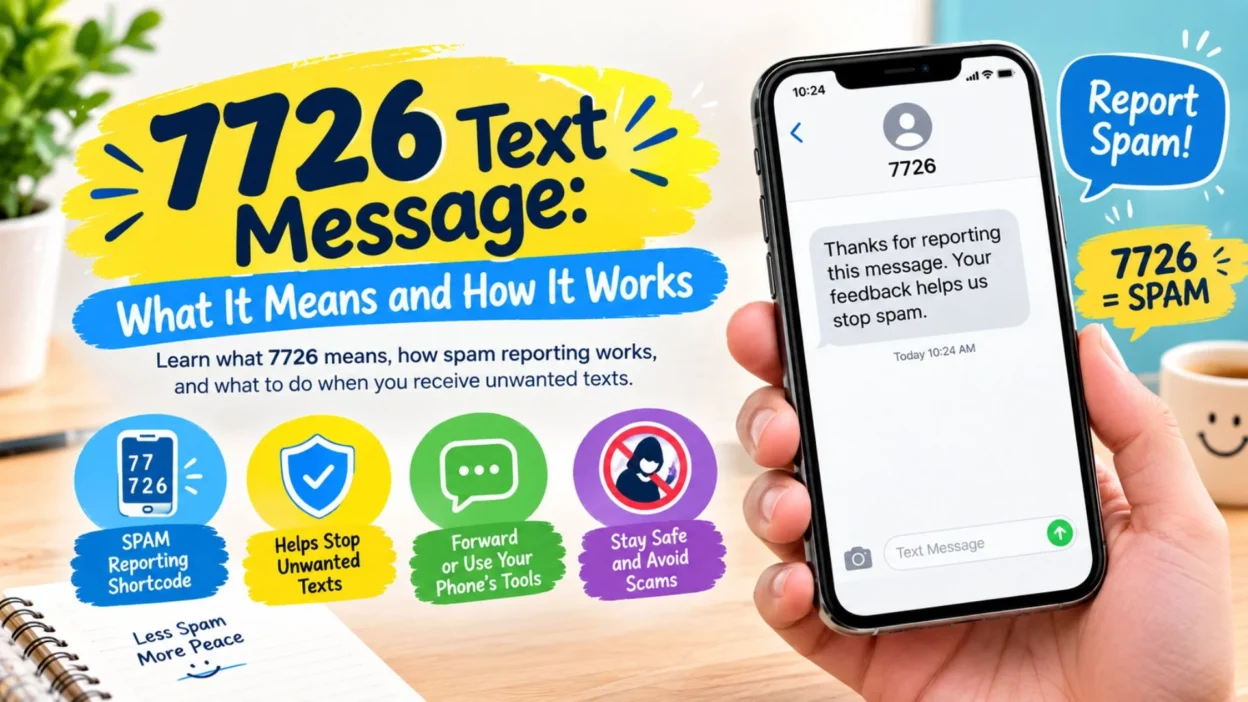
- The numbers spell SPAM on a standard phone keypad.
- Wireless providers use 7726 as a way to receive reports about unwanted text messages.
- The FTC recommends forwarding unwanted texts to 7726 or using your phone’s report-junk feature.
- The process helps providers identify patterns and improve systems that detect unwanted messages.
- Therefore, seeing 7726 does not automatically mean that 7726 sent you a suspicious message.
- Often, people search for this number because they want to report a message they received.
- This guide explains what 7726 means, when people use it, and what to know before responding to unexpected texts.
What Does a 7726 Text Message Mean?
- A 7726 text message usually refers to the spam-reporting shortcode 7726.
- The number is memorable because 7726 spells SPAM on a phone keypad.
- In the U.S., consumers can forward unwanted text messages to 7726.
- Participating wireless providers use those reports to improve spam detection and filtering.
- So, 7726 is better understood as a reporting destination than an ordinary personal phone number.
- You may see instructions telling you to forward an unwanted message to 7726.
- Your mobile provider may then use that report as part of its spam-mitigation process.
- The FTC also recommends using your phone’s built-in junk or spam reporting option.
- Different phones can display the reporting process differently.
- However, the basic idea remains the same.
- You receive an unwanted message.
- You report it.
- Your provider receives information about the unwanted message.
- The report can contribute to broader efforts against spam.
- That makes 7726 useful for more than simply removing one annoying text.
- It can also help providers recognize patterns across many unwanted messages.
Why Does 7726 Spell SPAM?
- The connection is easier to understand when you look at a phone keypad.
- Traditional phone keypads assign letters to numbers.
- The letters S, P, A, and M correspond to 7, 7, 2, and 6.
- Therefore, SPAM becomes 7726.
- That makes the shortcode easy to remember.
- It also explains why 7726 became associated with unwanted text reporting.
- You do not need to memorize a complicated reporting code.
- Instead, you can remember one simple word.
- Think of 7726 as the numeric version of “SPAM.”
- This naming approach makes the service easier for everyday phone users.
- It also makes instructions easier to understand.
- If someone tells you to forward an unwanted text to 7726, the meaning is straightforward.
- They are asking you to report the message as spam.
- The number is not a secret code.
- It is not a personal contact number.
- It is a widely recognized spam-reporting shortcode in the U.S. messaging ecosystem.
How Does 7726 Text Reporting Work?
- The basic process is simple.
- First, you identify an unwanted or suspicious text.
- Next, you use your phone’s spam-reporting feature when available.
- You can also forward unwanted texts to 7726, as recommended by the FTC.
- Your wireless provider receives the report.
- Providers can use reported information to improve spam filters.
- CTIA says providers use reports sent through 7726 to help calibrate spam filters and other protective measures.
- The process does not guarantee that every future spam message will disappear.
- Spam systems constantly change because unwanted senders change their tactics.
- Still, reporting gives providers useful information.
- Your report can become part of a larger pattern.
- That pattern may help identify suspicious sending behavior.
- Providers can then use various filtering and blocking tools.
- Therefore, reporting can support wider spam-prevention efforts.
- You should still use other safety habits.
- Do not assume that reporting alone makes every message harmless.
- Keep your phone’s security and spam-filtering features active.
- Also, avoid interacting with suspicious links or requests.
Why Would Someone Search for 7726 Text Message?
- People search for this keyword for several reasons.
- Some users see 7726 mentioned in instructions for reporting spam.
- Others may receive a message telling them to forward something to 7726.
- Some people simply want to know what the four digits mean.
- Others may wonder whether 7726 is connected to their mobile carrier.
- The answer can depend on the exact message and the country involved.
- In U.S. consumer guidance, 7726 is strongly associated with spam reporting.
- The keyword can also appear in articles about text scams.
- That is because reporting unwanted texts is one part of protecting yourself from scams.
- The FTC regularly advises consumers to report and delete unwanted texts.
- It also warns against clicking links in unexpected messages.
- Therefore, the search term often appears alongside words such as spam, scam, report, and unwanted text.
- The number itself is not necessarily the suspicious part.
- Instead, the message you received may be the thing that needs attention.
- Context is important.
- The safest approach is to examine the complete message before taking action.
Is 7726 a Scam Number?
- No, the number 7726 itself is not automatically a scam.
- In the U.S., 7726 is used for reporting unwanted text messages.
- The FTC specifically tells consumers they can forward unwanted texts to 7726.
- CTIA also identifies 7726 as the spam-reporting shortcode.
- However, a message that mentions 7726 could still contain misleading information.
- Scammers may imitate legitimate organizations.
- They may also create urgent messages designed to make people react quickly.
- For example, the FTC warns about fake delivery, toll, refund, loan, and account-related texts.
- That is why you should judge the message itself.
- Do not trust a text simply because it mentions a familiar number.
- Look at who supposedly sent the message.
- Check whether you actually expected the communication.
- Be cautious about unexpected links.
- Never share sensitive information just because a text requests it.
- If a message seems suspicious, use your phone’s reporting tools.
- You can also verify the supposed organization through a website or contact method you already know.
What Should You Do With an Unwanted Text?
- Start by avoiding a rushed reaction.
- Do not click an unexpected link.
- Do not reply simply because the message demands an immediate response.
- The FTC recommends not responding to unexpected texts and not clicking their links.
- Use your phone’s report-junk or report-spam feature when available.
- You can also forward unwanted texts to 7726.
- After reporting the message, delete it.
- Blocking the sender can provide another layer of protection.
- Many phones offer spam filtering or unknown-sender controls.
- Your wireless provider may also provide additional spam protections.
- If the message claims to come from a bank, store, delivery company, or government agency, verify it independently.
- Use the organization’s official website or app.
- Do not use contact details supplied by a suspicious message.
- If the text involves money, slow down before doing anything.
- If it asks for account credentials, do not provide them through the text.
- If it asks for a verification code, do not share that code with the sender.
- A legitimate-looking message can still be deceptive.
- Taking a moment to verify the claim can prevent a costly mistake.
7726 Text Message and Spam Reporting
- Spam reporting is one of the main reasons people encounter 7726.
- The shortcode provides an easy way to report unwanted texts.
- CTIA explains that providers use reports sent to 7726 to improve spam-mitigation tools.
- Those tools can include filtering and blocking techniques.
- Providers can analyze patterns across large numbers of messages.
- That makes individual reports useful beyond the original recipient.
- A single unwanted text may seem insignificant.
- However, similar reports can help reveal recurring patterns.
- This is especially useful when senders repeatedly distribute unwanted messages.
- Spam-reporting systems are not perfect.
- New spam campaigns can appear quickly.
- Senders can also change numbers and message wording.
- Therefore, filtering remains an ongoing process.
- Reporting still gives providers additional information.
- Consumers can support that process by reporting unwanted messages.
- The FTC continues to recommend forwarding unwanted texts to 7726.
- You can also report certain scams directly to the FTC.
- That creates another channel for documenting fraudulent activity.
7726 Text Message vs. STOP
- 7726 and STOP serve different purposes.
- 7726 is associated with reporting unwanted texts.
- STOP is commonly used by legitimate messaging programs to opt out of future messages.
- CTIA says automated messages should provide an opt-out method.
- If you knowingly subscribed to a legitimate messaging program, STOP may be the appropriate opt-out command.
- However, unexpected suspicious messages require more caution.
- The FCC advises consumers not to respond to suspicious texts simply because the message asks them to text STOP.
- Therefore, context matters.
- A legitimate service may provide a clear opt-out instruction.
- A suspicious sender may use a reply request to encourage interaction.
- If you are unsure, do not engage with the suspicious message.
- Instead, use your phone’s spam-reporting tools.
- You can also forward unwanted messages to 7726.
- After reporting, delete the message.
- When dealing with a legitimate service you recognize, follow its published opt-out instructions.
- The key is knowing whether the sender is trustworthy.
How to Recognize a Suspicious Text
- Unexpected messages deserve extra attention.
- Be especially cautious when a text creates a sense of urgency.
- A message may claim that your account has a problem.
- Another may say you owe money.
- Some scams imitate delivery companies.
- Others impersonate banks or government agencies.
- Fake job offers can also arrive through text.
- The FTC has warned about several versions of these scams.
- Suspicious links are another important warning sign.
- A message may direct you to a website that looks legitimate.
- However, the site may actually be designed to collect personal or financial information.
- Never assume a familiar logo proves authenticity.
- Scammers can copy branding and language.
- Instead, verify the claim through an official channel.
- If the message is unexpected, avoid responding immediately.
- Reporting the message can be safer than engaging with it.
- The same rule applies to messages that pressure you to act quickly.
- Take a pause.
- Check the facts.
- Then decide what action makes sense.
Common 7726 Text Message Questions
- Is 7726 the same as SPAM?
- Yes. The digits 7726 spell SPAM on a standard phone keypad.
- Can I forward spam texts to 7726?
- Yes. The FTC recommends forwarding unwanted texts to 7726.
- Does 7726 automatically block every spam message?
- No. Reporting helps providers improve spam detection, but it does not guarantee that every unwanted message will stop.
- Should I click a link before reporting a suspicious text?
- No. The FTC advises consumers not to click links in unexpected messages.
- Should I reply to a suspicious message with STOP?
- Not automatically. The FCC advises against responding to suspicious texts merely because they ask you to do so.
- Can I block the sender too?
- Yes. Many phones provide blocking features, and CTIA recommends blocking unwanted senders when appropriate.
- Can I report a scam somewhere besides 7726?
- Yes. The FTC accepts reports through ReportFraud.gov, while the FCC also accepts complaints about unwanted texts.
Best 7726 Text Message Safety Reminders
- Keep this simple rule in mind: unexpected texts deserve a pause.
- Do not let urgency push you into a quick decision.
- Never click an unfamiliar link just to see where it goes.
- Do not provide sensitive personal information through an unexpected text.
- Verify important claims through an official source.
- Use your phone’s spam-reporting option when available.
- Forward unwanted messages to 7726 when appropriate.
- Delete suspicious texts after reporting them.
- Block senders that continue sending unwanted messages.
- Keep your phone software updated.
- Review your phone’s available spam-filtering settings.
- Watch for messages pretending to be companies you know.
- Be careful with unexpected payment requests.
- Treat surprise job offers with caution.
- Check delivery claims through the retailer’s official app or website.
- Verify financial alerts through your bank’s official channels.
- Never assume a message is real because it looks professional.
- Remember that scammers can imitate familiar organizations.
- When something feels rushed, slow down.
- A few extra seconds can help you avoid a serious mistake.
Copy-Paste Ready Messages About 7726
- “I received an unwanted text. Should I report it to 7726?”
- “What does 7726 mean when it appears in spam-reporting instructions?”
- “I think this text is suspicious, so I am going to report it.”
- “I received an unexpected message and will verify it independently.”
- “I am not clicking the link because I did not expect this text.”
- “I do not recognize this sender, so I will report and delete the message.”
- “Can you confirm whether this message is from your official service?”
- “I will contact the company directly instead of using the link in the text.”
- “This message looks suspicious, so I am checking the official website.”
- “I received a text I did not expect. I am reporting it as spam.”
- “I am not sharing personal information through an unexpected message.”
- “The message asks for urgent action, so I am verifying it first.”
- “I do not recognize the sender, so I will avoid replying.”
- “I am checking my account directly instead of using the text’s link.”
- “I will report this unwanted message and then delete it.”
Frequently Asked Questions About 7726 Text Message
What does 7726 mean in a text message?
- In the U.S., 7726 spells SPAM and is used to report unwanted text messages to participating wireless providers.
Why do people forward texts to 7726?
- People forward unwanted texts to 7726 so wireless providers can receive spam reports and improve filtering and blocking systems.
Is 7726 a normal phone number?
- It is a short code used for spam reporting rather than a typical personal phone number.
Should I respond to a suspicious text?
- The FTC recommends not responding to unexpected texts and not clicking their links. Instead, report unwanted messages and delete them.
What is the safest way to check a suspicious message?
- Contact the supposed organization through an official website, app, or phone number you already know is genuine.
- Do not rely on contact information included in the suspicious text.
Final Thoughts on 7726 Text Message
- Understanding a 7726 text message is easier once you know what the number represents.
- In the U.S., 7726 is a memorable shortcode because it spells SPAM.
- It gives consumers a way to forward unwanted texts to participating wireless providers.
- Those reports can help providers improve systems that identify and filter spam.
- Still, 7726 is only one part of good text-message safety.
- You should also avoid suspicious links and unexpected requests.
- Verify important claims through official channels.
- Use your phone’s built-in spam tools when available.
- Most importantly, do not let an urgent message rush you into a decision.
- A suspicious text can look convincing at first.
- However, taking a moment to check the source can make a big difference.
- If the message is unwanted, report it.
- If it looks suspicious, avoid engaging with it.
- Then delete it and move on.
- Knowing what 7726 means gives you one more useful tool for handling unwanted texts with confidence.

Emma Richardson is a content writer passionate about creating heartfelt messages, wishes, and greetings for every occasion. She enjoys helping readers express their emotions with meaningful words that strengthen relationships and celebrate life’s special moments.