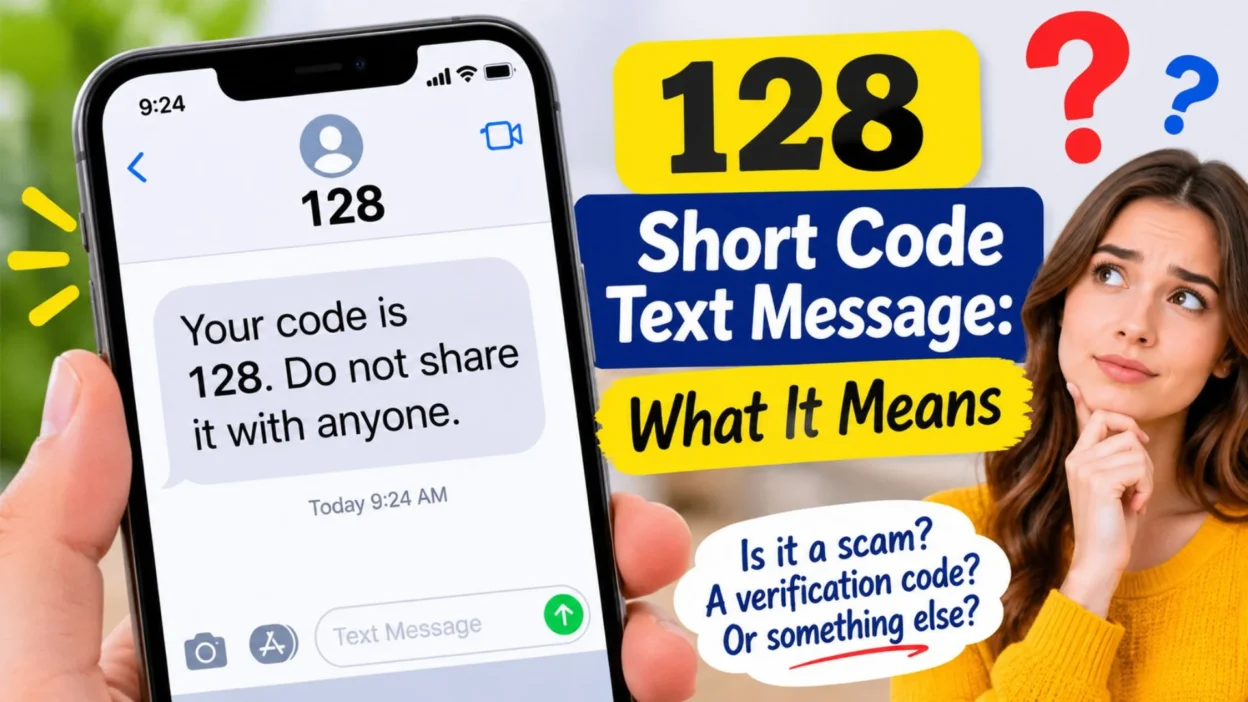
Have you received a text message from 128 and wondered who sent it or why it appeared on your phone? You’re not alone. Short code messages can be confusing, especially when the sender appears as a three-digit number instead of a familiar phone number or business name.
A 128 short code text message may be associated with an automated messaging service, depending on the country, mobile carrier, and organization using it. However, the number alone doesn’t identify the sender with certainty. The message’s content and your recent online activity can provide useful clues.
In this guide, you’ll learn what short codes are, why you might receive messages from them, how to check whether a message is genuine, and what to do if it looks suspicious. You’ll also find practical tips for managing unwanted texts and protecting your personal information.
Let’s make that mysterious three-digit message a little less mysterious!
📩 What Is a 128 Short Code Text Message?
A short code is a shortened number or sender identifier used by businesses, organizations, and automated messaging services to communicate with mobile users.
Unlike regular phone numbers, short codes are designed for automated, high-volume communication. Depending on the country, they can contain different numbers of digits. Some regions use five- or six-digit codes, while international systems can support other lengths. Twilio+1
The number 128 should not automatically be connected to one particular company or service. Its identity depends on the mobile network, country, and messaging provider.
Here are some possible reasons you might see it:
- Verification messages: A service may send a login confirmation or security code.
- Account notifications: You might receive an update about an account or subscription.
- Promotional messages: A business may send information about offers or services.
- Service alerts: Automated systems sometimes deliver reminders and important updates.
- Customer communication: A company may use an SMS platform to contact registered customers.
However, these are general short-code uses, not confirmed explanations for every message displaying 128.
🔍 Why Did I Receive a Text Message From 128?
Receiving an unexpected text can make anyone curious. Fortunately, there are several ordinary explanations worth considering before assuming something is wrong.
Your recent online activity is often the best place to start.
- You recently created an account: A website or application might have sent an automated confirmation.
- You requested a verification code: Some services use automated SMS providers to deliver temporary codes.
- You subscribed to notifications: A business may send updates after you sign up for its messaging service.
- You made an online purchase: Order confirmations and delivery updates sometimes arrive through automated messaging systems.
- You requested a password reset: A service might send a security notification after a reset request.
- Someone entered your number accidentally: Another person could have mistyped their phone number during registration.
- You received an unsolicited message: Some messages arrive without a subscription or recognizable reason.
The important thing is to examine the actual message rather than judge it by the sender number alone.
For example, a verification message you requested moments earlier is different from an unexpected message asking you to provide personal information.
🛡️ Is the 128 Short Code Text Message Legit or a Scam?
This is probably the most important question when an unfamiliar number appears in your inbox.
A short code does not automatically mean a message is safe. Likewise, an unfamiliar sender does not automatically mean the message is fraudulent.
Legitimate businesses use automated messaging systems. However, scammers can also send misleading texts that imitate familiar organizations.
Consider these warning signs:
- Unexpected requests for passwords: Genuine services should not ask you to share your account password through an ordinary text conversation.
- Unusual payment requests: Be cautious when a message demands an unexpected payment.
- Suspicious links: An unfamiliar link may lead to a fake website designed to collect personal information.
- Artificial urgency: Messages claiming your account will immediately disappear unless you act deserve extra attention.
- Unexpected verification codes: A code you never requested may indicate someone is attempting to access an account.
- Unfamiliar attachments: Avoid opening unexpected files or attachments from unknown senders.
The safest approach is to verify the organization independently.
If a message claims to come from a bank, delivery company, or online platform, open that organization’s official application or website yourself. Do not rely on contact details or links included in the unexpected text.
📲 How to Identify Who Sent the 128 Text Message
Finding the sender can be difficult because a short number does not always reveal the organization behind it.
Still, you can investigate the message without responding or sharing private information.
🔎 Check the Message Content
Start by reading the entire text carefully.
Look for a recognizable company name, service description, account reference, or reason for contacting you.
For example, a message might mention a login attempt, an order update, or a subscription confirmation.
However, remember that scammers can copy legitimate company names. A familiar name alone does not prove authenticity.
🔎 Review Your Recent Activities
Think about websites and applications you recently used.
Did you create an account, request a login code, or make a purchase?
If the message matches something you genuinely requested, it may be related to that activity.
Nevertheless, verify the notification through the official service before taking action.
🔎 Contact Your Mobile Carrier
Your mobile network provider may be able to explain whether the message is associated with a known messaging service.
Ask whether they can identify the sender or provide guidance about reporting unwanted messages.
The carrier might not have access to the identity of every third-party messaging customer. Even so, it can explain available safety and reporting options.
🔎 Contact the Claimed Organization
If the message mentions a particular business, contact that business using its independently verified customer support information.
Ask whether it sent the notification.
This approach is especially useful when a message mentions account activity, payments, or security alerts.
🔎 Compare the Message With Official Notifications
Check the official application or account dashboard.
If the message claims that something happened to your account, the relevant notification may also appear there.
An official account dashboard is generally more useful for verification than an unfamiliar text message.
💬 What Should You Do After Receiving a 128 Text?
The best response depends on what the message says and whether you recognize its purpose.
If you don’t recognize the sender, there’s no need to panic. Take a moment to inspect the notification and choose a safe next step.
- Read the message carefully: Understand what it claims before doing anything.
- Avoid clicking unknown links: Visit the official website independently instead.
- Never share verification codes: Keep temporary login codes private.
- Don’t provide personal details: Avoid sending passwords, payment information, or sensitive account details.
- Check your accounts: Look for unexpected login attempts or notifications.
- Block suspicious senders: Use your phone’s messaging settings if the messages become unwanted.
- Report suspicious activity: Contact your carrier or the organization being impersonated.
- Keep a record: Save relevant information if you need to report repeated unwanted messages.
Most importantly, don’t reply simply because you’re curious. First establish whether the sender is genuine.
📱 How to Block Messages From Short Code 128
If you keep receiving unwanted messages, your phone may offer options to block or report the sender.
The exact steps depend on your device and messaging application.
🍎 Blocking Messages on an iPhone
iPhone users can manage unwanted senders through the Messages application.
- Open the Messages application.
- Find the conversation containing the unfamiliar message.
- Tap the sender information at the top.
- Look for the available blocking or reporting options.
- Follow the instructions displayed on your screen.
You can also review your iPhone’s message filtering settings to manage messages from unknown senders.
🤖 Blocking Messages on Android
Android users can usually manage unwanted messages through Google Messages or their phone manufacturer’s messaging application.
- Open your messaging application.
- Find the conversation from the unfamiliar sender.
- Open the conversation options.
- Look for the block or report spam option.
- Confirm your selection if prompted.
Keep in mind that blocking one sender does not necessarily prevent messages from other numbers or messaging services.
If unwanted messages continue, contact your mobile carrier for additional assistance.
🌎 Are Short Code Messages Different in Every Country?
Yes! Short-code systems vary between countries and mobile networks.
A number that identifies one messaging service in a particular region might have an entirely different meaning elsewhere.
For example, messaging providers generally provision short codes for specific countries and participating mobile networks. A code approved in one country does not automatically work internationally. Telnyx Help Center+2
Here are some important differences:
- United States: Business messaging commonly uses five- or six-digit short codes.
- United Kingdom: Short-code services operate under local mobile network requirements.
- Canada: Businesses can use approved short codes for automated customer communication.
- Other countries: Local telecommunications rules determine which sender formats are supported.
Therefore, identifying a message from 128 requires knowing where the message was received and which carrier delivered it.
A three-digit sender identifier should not be assumed to have the same meaning worldwide.
🔐 Can a 128 Text Message Access My Personal Information?
Simply receiving a text message does not automatically give its sender access to your phone’s private information.
However, the actions you take after receiving a suspicious message can create security risks.
For example, an unfamiliar text might encourage you to visit a fake website, enter account credentials, or share a verification code.
Here are some sensible precautions:
- Never share passwords through text messages.
- Avoid entering personal information on unfamiliar websites.
- Keep your phone’s operating system updated.
- Use strong, unique passwords for important accounts.
- Enable additional account security where available.
- Review account activity when you receive an unexpected security notification.
- Use official applications instead of links from unfamiliar messages.
Also, remember that a legitimate-looking sender name or number is not enough to establish trust.
Your personal information deserves protection, even when a message appears convincing.
💡 Can You Reply to a 128 Short Code Text Message?
Some short-code messaging services support two-way communication. Others only send automated notifications.
For example, certain businesses allow customers to reply with words such as HELP or STOP. These commands are commonly used to request assistance or unsubscribe from messaging programs. Twilio+1
However, you should not automatically reply to every unfamiliar sender.
Before responding:
- Check whether you recognize the organization.
- Verify the messaging program through its official website.
- Read the instructions included in a legitimate notification.
- Avoid sending personal information in a reply.
- Contact your carrier if you suspect unwanted or fraudulent messaging.
If you cannot identify the sender, ignoring and reporting the message is generally safer than engaging with it.
📩 What Does It Mean If You Receive Multiple Messages From 128?
Receiving several messages from the same sender can have different explanations.
Sometimes, automated systems send multiple notifications because of repeated login attempts, account updates, or subscription settings.
Other times, repeated messages may be unwanted or suspicious.
Consider these possibilities:
- Repeated verification requests: Someone might be attempting to sign in to an account associated with your phone number.
- Multiple account notifications: A service may send separate alerts for different activities.
- Subscription reminders: A messaging program might send recurring updates.
- Technical errors: Automated systems occasionally deliver duplicate notifications.
- Unwanted communication: Repeated unsolicited messages may indicate spam.
If the messages contain verification codes you never requested, don’t share them with anyone. Visit the relevant service through its official application and review your account security.
If you don’t recognize the sender, your mobile carrier can explain how to report repeated unwanted messages.
🧾 How Businesses Use Short Code Text Messaging
Short codes aren’t exclusively associated with suspicious messages. In fact, many legitimate organizations use them to communicate with customers.
They are particularly useful when businesses need to send large numbers of automated messages.
Common examples include:
- Account verification: Sending temporary codes during account registration or login.
- Appointment reminders: Informing customers about upcoming appointments.
- Order notifications: Providing updates about purchases and deliveries.
- Customer support: Allowing customers to request assistance through text.
- Promotional campaigns: Sharing discounts, announcements, and special offers.
- Service alerts: Communicating important changes or account notifications.
Short codes are popular because they support high-volume messaging and can make automated communication easier to manage. Twilio+1
However, businesses generally need to follow applicable carrier rules and obtain the required customer consent before sending promotional or other program messages.
That is why an unfamiliar short-code notification should be checked rather than automatically trusted.
⚠️ Common Mistakes to Avoid When Receiving a 128 Message
Sometimes, people make quick decisions after seeing an unfamiliar notification.
Unfortunately, those decisions can create unnecessary problems.
Avoid these common mistakes:
- Assuming the number is genuine: A short number does not guarantee a trustworthy sender.
- Clicking immediately: Take time to verify unexpected links.
- Sharing login codes: Verification codes should remain private.
- Calling random numbers: Use official contact information instead.
- Ignoring account warnings: Check genuine security notifications through your official account.
- Replying without verification: Don’t engage with a sender you cannot identify.
- Believing every online explanation: Information about short codes can differ by country and carrier.
A little caution can make handling unfamiliar text messages much easier.
❓ Frequently Asked Questions About 128 Short Code Text Messages
📱 What is the 128 short code text message?
A 128 short code text message is a notification displaying the sender identifier 128. Its exact source cannot be confirmed from the number alone. It may involve an automated messaging service, depending on your country and mobile carrier.
🔍 Is 128 a legitimate text message number?
It may be legitimate, but the number alone cannot establish that. Check the message content and verify the claimed organization through its official website or application before responding.
🛡️ Is a text message from 128 dangerous?
Not necessarily. Receiving a text does not automatically put your phone or personal information at risk. However, avoid suspicious links, unexpected payment requests, and requests for private verification codes.
📩 Why am I receiving verification codes from 128?
You might receive verification codes after requesting a login, registration, or password reset. If you never requested a code, don’t share it with anyone. Check your account security through the official service.
🚫 How can I stop receiving messages from 128?
You can use your phone’s blocking and spam-reporting features. Additionally, contact your mobile carrier if the messages continue. Only unsubscribe through a verified messaging program.
🌎 Does 128 have the same meaning worldwide?
No. Short-code systems differ between countries, carriers, and messaging providers. Therefore, the meaning of a particular sender identifier cannot be established without regional context.
❤️ Final Thoughts on the 128 Short Code Text Message
Receiving an unfamiliar notification can leave you wondering who sent it and whether you should trust it. Fortunately, understanding short-code messaging makes these situations easier to handle.
A 128 short code text message may come from an automated communication service, but its exact identity cannot be confirmed simply by looking at the sender number. The message itself, your recent account activity, and your mobile carrier can help you investigate its source.
Always remember to check unexpected notifications before taking action. Avoid unfamiliar links, protect your verification codes, and never share sensitive information with an unverified sender.
If a message claims to represent a business, verify it through the company’s official website or application. You can also contact your mobile carrier for further assistance.
Most importantly, stay calm and make informed decisions. An unfamiliar text doesn’t automatically mean something is wrong.
A little awareness goes a long way toward keeping your phone, accounts, and personal information safe!

Emma Richardson is a content writer passionate about creating heartfelt messages, wishes, and greetings for every occasion. She enjoys helping readers express their emotions with meaningful words that strengthen relationships and celebrate life’s special moments.